
WordPress emails sent? That proves very little
A Dubai service business changes the sender address on a WordPress form. The form entries still appear in the dashboard. The success message still thanks the visitor. The sales inbox receives nothing for three weeks. Not ideal.
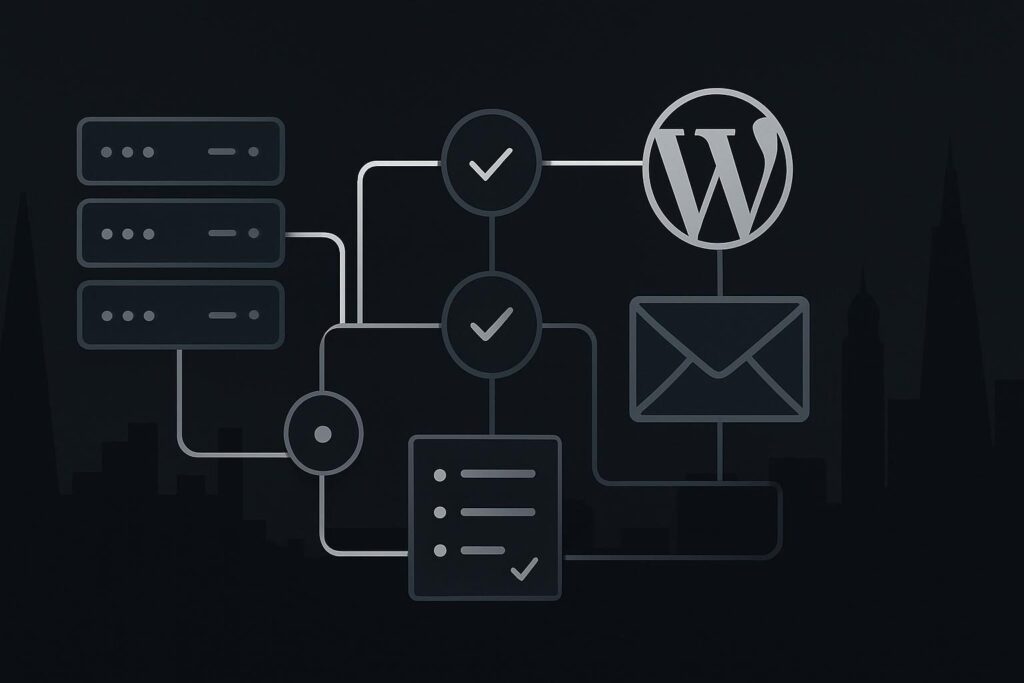
WordPress email problems are awkward because the website can look obedient while leads, password resets, WooCommerce order notices and account emails disappear quietly. For UAE, UK and Liverpool businesses using WordPress for enquiries or sales, the useful question is not whether WordPress smiled and said sent. It is whether the right inbox received the message and whether that delivery can be traced.
When WordPress emails are not sending, the issue is usually somewhere along the delivery path: WordPress creates the email, a mail function or SMTP service accepts it, DNS records authenticate the sender, recipient servers judge it, and the inbox or spam filter decides where it lands. A WordPress success message often confirms hand-off only, not inbox delivery.
The false assumption: sent means delivered
WordPress usually confirms that it handed an email to a mail function. That is not the same as proving that Microsoft 365, Google Workspace, a customer inbox or a shared sales mailbox accepted it.
A contact form success message proves the form did something. It does not prove the notification reached a human. A password reset screen can say the email has been sent while the message is rejected, unauthenticated, routed to spam, sent from the wrong domain or never processed properly by the host’s mail system.
This is where proper WordPress website development becomes operational, not decorative. Email delivery touches the application, hosting, DNS, domain policy and recipient systems. The plugin might be guilty. It might also just be standing closest to the scene of the crime.
WordPress email delivery checklist
1. Confirm what WordPress actually logged
Start inside WordPress. Check whether the form plugin, WooCommerce, membership plugin or password reset process recorded the email event.
- Was the message generated?
- Which recipient address was used?
- Which sender address was used?
- Was there a mail error or only a hand-off success?
- Did the event happen at the time the customer says they submitted the form?
If there are no logs, add logging before changing more settings. Stop changing things until you know what changed first.
2. Check the sender address after any change
In the common service-business scenario, the website stores form entries but the sales inbox stopped receiving notifications after the sender address changed.
That change can break alignment. For example, a website on example.ae may start sending as [email protected] or a personal Gmail address. Some recipient systems will dislike that, especially if SPF, DKIM and DMARC do not support it.
The safest default is usually to send from an authenticated address on the website’s own domain, then set the visitor’s email as the reply-to address. Boring. Often correct.
3. Identify whether the site uses PHP mail, SMTP or transactional email
Many WordPress sites still rely on the host’s default PHP mail setup. Sometimes it works. Sometimes it drifts into the bin with no ceremony.
For a business website, use an authenticated SMTP setup or a transactional email service where appropriate. Check practical details such as:
- SMTP host name
- port 587 with TLS or port 465 with SSL where required
- correct username and password or API key
- verified sending domain
- from address matching the authenticated domain
- mail logs showing accepted, rejected or bounced status
Do not assume an SMTP plugin is configured because it is installed. I have seen plenty sitting there like a decorative fire extinguisher.
4. Verify SPF, DKIM and DMARC
DNS authentication is not glamorous, which is probably why it gets missed. SPF tells receiving mail servers which systems can send for the domain. DKIM signs the message. DMARC tells receivers what to do when alignment fails.
Check the live DNS records, not a screenshot from when the site launched. Domains move. Mailboxes move. Agencies change. Hosts get replaced. Old records hang around like bad furniture.
5. Test more than the contact form
If you only test one form to one inbox, you have not tested WordPress email delivery. You have tested one route on a good day.
Use a delivery matrix that covers message types, inboxes and evidence. This is the difference between application success and actual delivery.
| Test | Why it matters | Evidence to capture |
|---|---|---|
| Contact form notification | Checks lead delivery from the main enquiry route | Form entry, mail log, recipient inbox result |
| Password reset | Confirms core WordPress account mail works | Reset request time, message ID, inbox or spam result |
| WooCommerce order email | Checks customer and admin transaction notices | Test order, order notes, mail log, customer inbox |
| Different recipient inboxes | Shows whether the issue is local to one provider | Microsoft 365, Google Workspace and external mailbox checks |
| Delivery logs | Separates sent, rejected, bounced and spam-routed mail | SMTP or transactional email log status |
If the problem already affects live enquiries, treat it as repair work, not a cosmetic tweak. Standish Services handles this type of diagnosis through website repair in Dubai, using logs and end-to-end checks rather than guessing at the form plugin.
6. Check the receiving inbox properly
The recipient side is where the fun starts. Check spam, junk, quarantine, forwarding rules, shared mailbox permissions and old inboxes that nobody admits still exist.
For Microsoft 365 and Google Workspace, admin-level message tracing can show whether the email arrived, was quarantined or was rejected. A sales user saying nothing came in is useful information. It is not the whole diagnosis.
7. Add email checks to maintenance
Email delivery should be part of practical WordPress maintenance, especially for lead generation websites, clinics, real estate firms, hospitality brands and service businesses where enquiries matter.
A sensible maintenance routine includes periodic form tests, password reset checks, WooCommerce email checks where relevant, plugin update review, backup awareness and delivery logging. If your site depends on enquiries, add email delivery checks to your WordPress maintenance in Dubai rather than waiting for a quiet inbox to become the only warning sign.
What to do before blaming the customer
Do not assume customers have gone quiet. Do not assume the form is fine because it says thanks. Do not rebuild the page, change plugins and swap hosting in one afternoon unless you enjoy making diagnosis worse.
The smallest sensible next action is to send controlled test messages through each important WordPress email route and trace them from WordPress log to mail provider log to recipient inbox. If one part of the path cannot be observed, fix that visibility first.
FAQs about WordPress emails not sending
Why does WordPress say an email was sent when I never received it?
WordPress may only be reporting that it passed the message to wp_mail() or another mail handler. That is hand-off, not delivery. The email can still fail later because of hosting mail limits, SMTP errors, DNS authentication problems, recipient filtering, spam placement or sender-domain mismatch.
Should a Dubai business use SMTP for WordPress emails?
For most business websites in Dubai, authenticated SMTP or transactional delivery is more traceable than relying on basic host mail. It gives clearer logs, better sender control and fewer blind spots. It still needs correct SPF, DKIM, DMARC and sender alignment, otherwise the setup can look tidy while delivery still struggles.
Can SPF, DKIM and DMARC fix WordPress emails going to spam?
They can help receiving servers trust the sender, but they are not a magic switch. Content, sending reputation, recipient filtering, domain alignment and previous behaviour also matter. Start by making sure the domain is authenticated correctly, then test real WordPress messages to real inboxes and review the logs.
Why are WooCommerce order emails not arriving?
WooCommerce emails can fail because the order email is disabled, templates are misconfigured, SMTP is not working, DNS authentication is weak, or the recipient mail provider is filtering the message. Test both customer and admin emails with a real test order, then compare WooCommerce order notes with mail delivery logs.
Can website repair include WordPress email logs and delivery testing?
Yes, if the repair scope includes email diagnosis. A proper check should cover form mail, password resets, order emails where relevant, DNS records, SMTP or transactional logs and recipient inbox testing. The aim is to prove where the message stops, not to keep swapping plugins until something appears to work.
Message Standish Services on WhatsApp if you want the logs, DNS records, SMTP route and key WordPress email types checked properly. Test the full delivery path before assuming the form or customer simply went quiet.