
WordPress custom code audit for forgotten snippets
A five-line snippet was adding a checkout fee on a WordPress site. It had lived in functions.php for years, survived theme work and plugin updates, and did exactly what somebody once wanted. Nobody could say who added it, what rule it was enforcing, or whether the fee still applied.
That is the awkward bit with custom code. It can be tiny, invisible in the plugin list, and still sit directly in the path of an enquiry form, booking process, logged-in area or payment journey. The site may have carried on happily for years. That does not make the dependency understood.
What happened when the checkout changed
The business was updating a WooCommerce extension. On staging, the fee appeared twice under one checkout route and not at all under another. The extension update had not necessarily caused the original problem. It had changed the behaviour around an old hook, and the old snippet was now making assumptions that no longer held.
There were no useful comments around the code. No ticket reference. No named owner. The original developer had moved on. The only clue was a vague note in an old inbox referring to a temporary surcharge from several years earlier.
Updates become slower in this situation because every sensible person is wary of touching anything. Fault diagnosis becomes slower too, because a hidden change can influence the result without leaving a trace in the normal update history.
A WordPress custom code audit is an inventory first
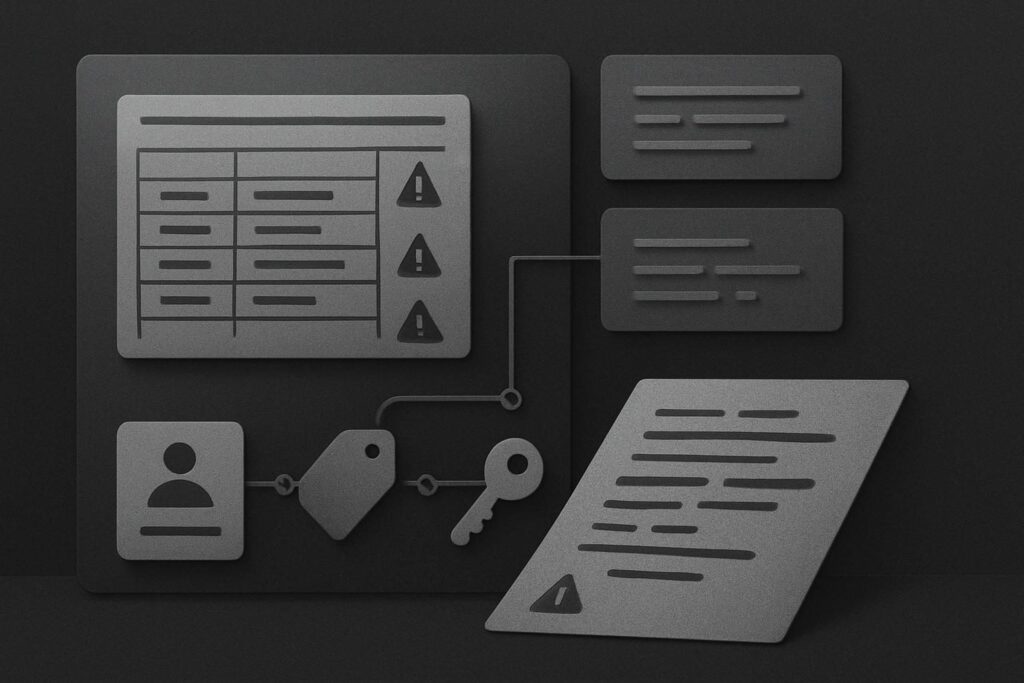
A WordPress custom code audit is a structured review of code added outside normal theme, plugin and core behaviour. It records where each snippet lives, what it is meant to do, what it depends on, who is responsible for it and how it can be tested safely. The purpose is not to delete every customisation. It is to replace guesswork with enough evidence to make a sensible retain, replace or retire decision.
For a fragile older site, that distinction matters. Good custom code can be the right answer when it has a clear job, sensible placement, version control or at least a reliable record, and a test route. Undocumented code is technical debt with no named owner.
Where custom WordPress code tends to hide
Start wider than functions.php. That file gets the blame because it is visible and familiar, but it is only one cupboard in a fairly untidy house.
- Parent or child theme files: functions.php, template overrides, custom page templates, header and footer files, and CSS or JavaScript loaded directly by the theme.
- Snippet plugins: active snippets, disabled snippets, snippets set to run only in wp-admin, and code loaded conditionally on selected pages.
- Must-use plugins: code in the mu-plugins directory loads automatically and may not appear like an ordinary plugin in the WordPress admin.
- Custom plugins: a small plugin with a vague name may contain a business-critical rule for forms, user roles, pricing or integrations.
- Page-builder and form settings: custom CSS, JavaScript, webhook rules and dynamic conditions can function much like code, especially when a form success message does not prove the lead reached the sales inbox.
- Hosting and third-party services: server rules, CDN workers, tag-manager scripts and payment settings can create dependencies outside WordPress itself.
One boring but important detail: check whether the site has a child theme before updating the parent theme. A child theme can be entirely appropriate, but an old template override may no longer match the version of WooCommerce or another plugin beneath it.
Build a register before changing anything
A simple register is more useful than a heroic clean-up session. It gives the business and whoever maintains the site a shared view of what is there. For sites with regular updates, this fits naturally into WordPress maintenance support in Dubai, where changes should have an owner, a rollback point and evidence of the business journey being checked.
| Record | What to capture | Why it matters |
|---|---|---|
| Location | File path, plugin name, theme area or service setting | Shows where the code runs and who can access it |
| Purpose | Plain-English explanation of the business rule | Separates useful customisation from abandoned experiments |
| Owner | Named staff member, supplier or business function | Someone can confirm whether the rule is still required |
| Dependency | Plugin, hook, field name, API, theme template or user role | Shows what may change underneath it |
| Risk | High, medium or low based on what it affects | Prioritises checkout, forms, access and pricing over cosmetic tweaks |
| Test method | Specific staging test and expected result | Prevents a vague visual check being treated as proof |
| Decision | Retain, replace, investigate or retire after approval | Creates an accountable next action |
Check the dependency, not only the code
A snippet may be perfectly written and still become risky if it relies on a hook that changed, a form field renamed during a redesign, or a plugin function that has been deprecated. The code itself is only part of the picture.
Take the checkout fee example. The test plan should include the exact conditions that trigger it: guest and logged-in customers, the relevant country or delivery method, each payment route affected, the correct tax display, and the order confirmation. Looking at the basket total once on a desktop browser is not much of a test.
For a service business, the equivalent may be a snippet that routes high-value form enquiries to a separate inbox, restricts access to a client portal, or changes a WhatsApp link based on page location. If that code stops working, the page can still look presentable while the actual business process has quietly gone sideways.
Use staging, but make it representative
Test changes on a staging copy where possible, with a documented route back if the result is wrong. Staging is useful only when the relevant plugins, settings and integrations reasonably match live. A checkout test on a copy with no payment configuration, or a form test sent to a dummy mailbox, can give false comfort.
Do not rush to remove suspicious-looking snippets from a live site. First capture the code, establish what triggers it, identify the dependency, and ask the business whether the underlying rule is still wanted. Some snippets need refactoring into a small custom plugin. Some need a modern replacement. Some are redundant. Those are different jobs.
Questions worth asking before the next update
Is code in functions.php always a bad idea?
No. Small, well-understood customisations can live there, particularly on a properly managed child theme. The risk rises when the code has no explanation, no owner, no test method or relies on a parent theme that may be replaced. The location is a clue, not a verdict.
Should disabled snippets stay on the site?
Disabled snippets can be useful historical references, but they can also confuse the next person reviewing the site. Record why they were disabled, whether they are still needed and whether a safe archive exists. Leaving a pile of mystery code around is not documentation.
How often should custom code be reviewed?
Review it before major plugin, theme, PHP or WordPress changes, after a takeover from another supplier, and whenever a critical journey behaves unexpectedly. Sites with checkout, membership access, booking rules or complex lead routing deserve more attention than a simple brochure site.
Find and document the custom code before the next update exposes it. If the site feels too fragile to touch, message Standish Services on WhatsApp and start with an inventory and test plan rather than a panic fix.