
Website development Liverpool: count the jobs, not pages
Two Liverpool businesses can both ask for a six-page website and receive very different development quotes. One may need a straightforward brochure site with a home page, service pages and a contact form. The other may need the same visible page count, plus a CRM-connected form, reusable case-study templates, analytics events, redirects from an old CMS and somebody to prove it all works before launch.
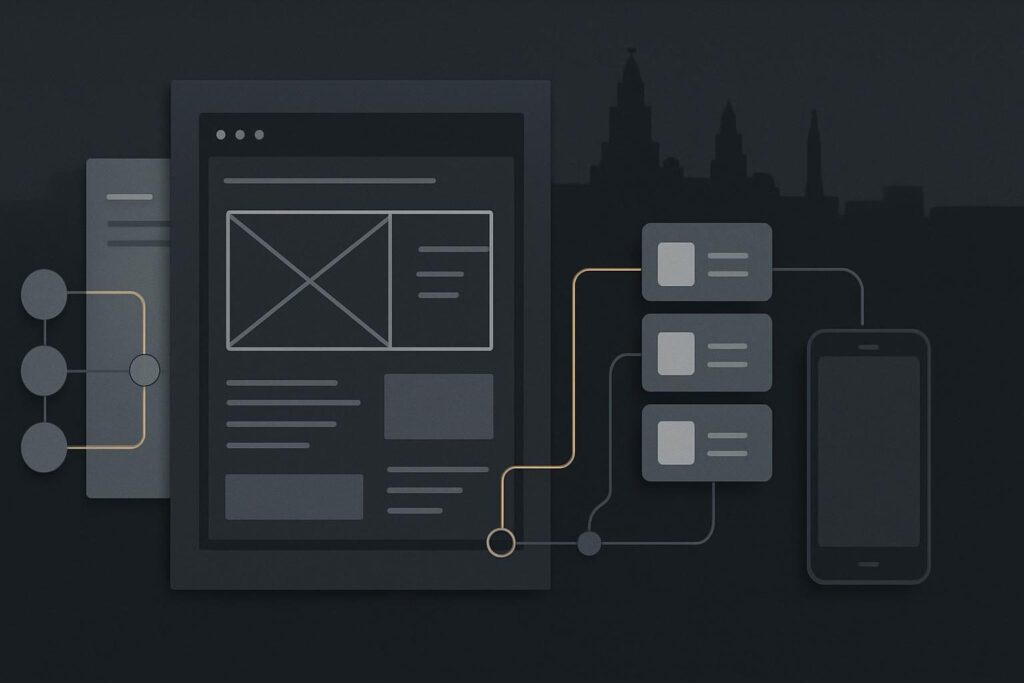
Neither option is automatically better. The useful question is whether you are buying a small site with a limited job, or a business system with more moving parts. Define what the website has to do before counting pages.
Option A: a focused brochure website
A focused brochure website is sensible when the offer is clear, the content is ready and the main goal is to give referrals, local search visitors and existing contacts a credible route to understand the business and get in touch.
It may include a small number of page types, such as a homepage, service page, about page and contact page. There may be one enquiry form, a basic map or a booking link, and a simple editing setup for staff. This is often the right choice for a business that does not need complex content publishing or several systems talking to each other.
The trade-off is that it should stay focused. If the site later needs a CRM workflow, gated resources, detailed case studies, several enquiry routes or a migration from an old platform, the original scope needs revisiting. Trying to sneak those jobs into a basic page-count quote is how projects become awkward for everyone.
Option B: a development-led business website
A development-led website is more appropriate where the site has operational work to do beyond presenting information. That does not mean it needs a giant custom platform. It means the development scope has to account for content structure, integrations, data, testing and handover.
Take a fairly ordinary Liverpool service business. It wants six public pages, but it also needs a form that sends enquiries into a CRM, reusable case-study templates, GA4 events for form submissions and phone clicks, redirects from an older CMS, and a sensible route for the team to update content after launch. The six pages are the visible bit. The work sits underneath them.
A form connected to a CRM is not merely a form block dropped onto a page. Someone needs to confirm the fields map correctly, consent information is handled appropriately, notification emails reach the right inbox, duplicate submissions do not create a mess, and the success message does not just look reassuring while the CRM receives nothing. It is unglamorous work, but it is part of a working website.
A plain answer to website development scope
Website development Liverpool projects should be scoped around the website’s required journeys, content templates, integrations, migration needs, editing requirements, performance checks and launch testing. Page count can help estimate content volume, but it does not reliably measure development effort. Two sites with six pages may need very different work if one uses standard templates and the other includes CRM forms, legacy redirects, analytics tracking and reusable content structures.
Liverpool business website scope checklist
Use this checklist before asking suppliers for quotes. It will not turn every project into a neat little spreadsheet exercise, but it will expose the jobs that page count tends to hide.
1. List the journeys the website must support
- How does a new visitor understand the service and decide whether to enquire?
- Are there different routes for customers, candidates, landlords, patients, partners or trade enquiries?
- Does the visitor call, email, submit a form, book a consultation, request a quote or use WhatsApp?
- What happens after they take that action, and who receives it?
Start with journeys rather than a wish list of page names. A service page that sends every enquiry into one generic inbox may be enough for one firm and entirely wrong for another.
2. Identify pages versus reusable templates
A page is a one-off item. A template is a repeatable structure used for a category of content. That distinction matters.
| Requirement | Usually a page or template? | Scope question |
|---|---|---|
| Homepage | Usually a one-off page | What proposition, proof and next step need to appear? |
| Core services | Pages or a shared template | Will more services be added later by the team? |
| Case studies | Reusable template | What fields must stay consistent across each story? |
| Team profiles | Reusable template | Who updates roles, biographies and images? |
| Location pages | Reusable template where appropriate | What changes by location beyond the heading? |
Templates can reduce repetitive effort later, but they need thought at the start. A case-study system, for example, may need fields for sector, problem, approach, related services, image handling and a call to action. Calling that one page because it first appears once is a bit optimistic.
3. Write down every integration and dependency
- CRM, email marketing platform or lead-routing tool
- Booking system, payment provider, job board or property feed
- Maps, reviews, live chat, WhatsApp and embedded third-party tools
- Analytics, tag management, consent tools and conversion tracking
- SMTP or transactional email setup for reliable form delivery
Ask what is being integrated, who owns the account, what access is available and how the connection will be tested. An old sales inbox or a form notification sent from the wrong domain can cause more grief than a fancy homepage ever will.
4. Treat migration as its own workstream
If replacing an existing site, record what must move and what should be left behind. That includes content, media, downloads, forms, SEO titles, redirects, user accounts and any data held in a plugin. It also includes checking whether old URLs still receive meaningful traffic or links.
Migration is not finished because the new homepage looks similar. A redirect list, a content inventory and a plan for any old enquiry routes will make the launch less dependent on crossed fingers.
5. Agree what editing means after launch
Most businesses do not need unrestricted access to every layout control. They need to update services, team members, case studies, FAQs and basic calls to action without knocking a layout sideways on mobile.
Ask which areas are editable, whether the team receives guidance, and what needs developer support. This is where a sensible WordPress build earns its keep. The aim is controlled editing, not giving every user a box of cables and a shrug.
6. Specify launch tests and ownership
Quotes should state what gets tested before launch. At minimum, that normally includes key pages, mobile layouts, forms, notification delivery, CRM hand-off where relevant, redirects, analytics events and basic browser checks. If a staging copy is used, it should resemble the live configuration closely enough to test the things that matter.
Then clarify who owns hosting, domains, plugin licences, backups, analytics access and post-launch fixes. A business should not discover after launch that its form plugin licence belongs to an old supplier’s personal account.
Use the scope to compare like with like
A supplier who asks sharp questions about templates, integrations, migration and testing is not necessarily making the job bigger. They may be trying to establish what is actually being quoted. Equally, a lean quote can be perfectly sensible if the website genuinely has a narrow brief and the exclusions are clear.
For a practical project route, review the Liverpool website development scope alongside your own requirements. If the project includes a stronger visual rethink as well as development work, the Liverpool website design service provides the related design route.
Do not compare totals before comparing scope
The cheapest quote may exclude the work another supplier has allowed for. The highest quote may include things you do not need. Neither figure tells you much until you can see which journeys, templates, integrations, migration tasks, tests and ownership responsibilities are included.
Before you compare development quotes, make one list of required outcomes and send the same version to each supplier. It is less exciting than judging a homepage mock-up, admittedly, but it gives you a fighting chance of buying the project you actually need.
Define the required journeys and functionality before comparing development quotes. You can send your outline by email and get a clearer view of the development work involved.