
Website maintenance and support: when repair is the job
Maintenance, support and repair are not three interchangeable names for the same monthly retainer. They may come from the same supplier, but they involve different work, different urgency and, usually, different expectations around cost.
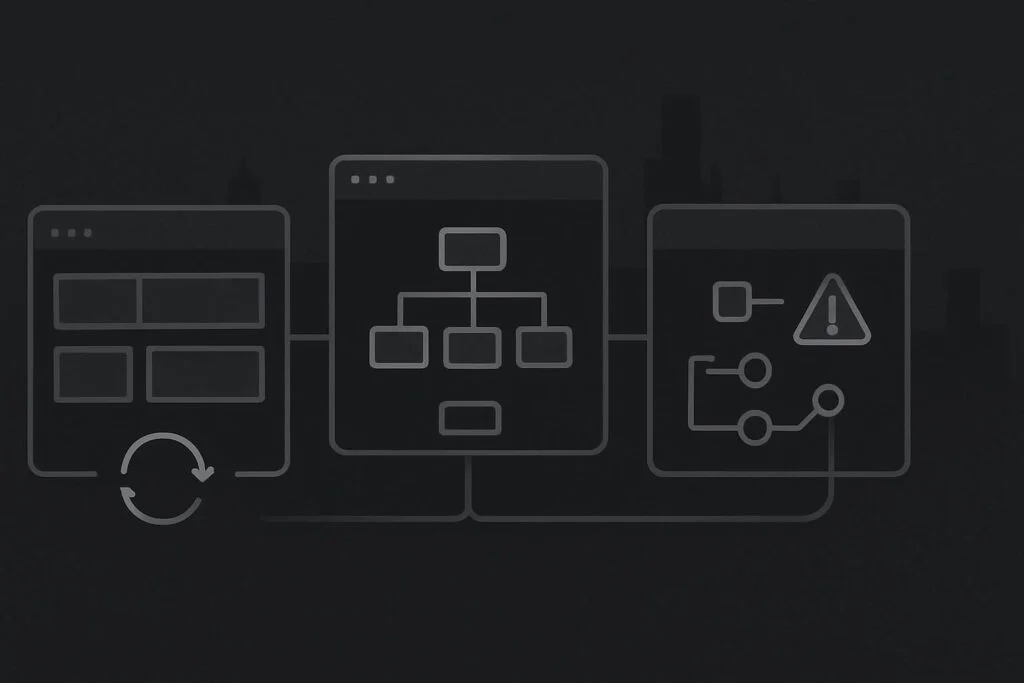
That distinction matters when a business is trying to keep a healthy WordPress site looked after, make a few ordinary changes and deal with a checkout or enquiry fault at the same time. Calling all of it support is a tidy way to create an untidy proposal.
The weak setup: one vague service for every website job
A vague arrangement often sounds reassuring at first. It includes updates, fixes, changes, troubleshooting and priority help, with no real explanation of which jobs are routine and which need a separate diagnosis.
The issue tends to appear when something stops working. A provider may reasonably say that a broken checkout, failed form delivery or PHP error is repair work. The business may reasonably think it has been paying for support. Neither side is necessarily being difficult. The scope was simply never clear.
Website maintenance and support services usually combine planned care and practical help, while website repair is the investigation and recovery work needed for an existing fault. Maintenance checks known responsibilities, support handles ordinary ownership tasks, and repair starts when a business-critical function has already failed or become unreliable.
Why mixing the scopes gets expensive
Maintenance is planned work. It may include controlled updates, backup checks, security awareness, plugin review and testing key journeys such as a contact form or mobile menu. It is meant to reduce avoidable risk and make the website less mysterious to own.
Support is the practical layer around normal website ownership. A team may need a staff profile changed, a new service page published, an old inbox removed from a form notification, or a WhatsApp link corrected after a phone-number change. These are ordinary jobs, but they still need someone with access and enough sense not to knock something else over.
Repair is different because the cause is not yet known. A form can show a success message but fail to deliver because SMTP credentials changed, an inbox is rejecting mail, or a spam rule is catching messages. A broken checkout may involve a gateway, JavaScript error, cache setting, theme override or hosting configuration. Repair needs evidence, a safe recovery route and a diagnosis before anyone can honestly define the fix.
Name the website condition first
1. The website is healthy, but nobody owns the routine checks
This is a maintenance requirement. The site is functioning, but it needs regular attention so updates, backups, key forms and basic technical warnings do not become somebody’s surprise on a Friday afternoon.
A sensible maintenance scope should state what is checked, how updates are handled, whether important journeys are tested and what happens when routine work reveals a separate fault. Our website maintenance service for Dubai businesses covers the kind of ongoing responsibility that helps keep an established site usable and accounted for.
- Use maintenance when the site works but has no dependable upkeep routine.
- Use it when plugin, theme, WordPress and backup responsibilities need a named owner.
- Use it when enquiries, booking routes or store functions should be checked as part of normal care.
2. The website works, but the business needs regular help with it
This is support. The website may be technically fine, but the team needs someone to make sensible changes, answer practical questions and deal with the small jobs that otherwise sit in a shared inbox for three weeks.
Support works best when boundaries are clear. A content update, a new team member, an image replacement or a form-recipient change may fit the service. A new booking system, a CRM integration or a substantial template change is development work, even if somebody tries to call it a quick tweak.
- Use support for ordinary content, admin and small technical jobs.
- Use it when a marketing team needs a reliable route for changes between maintenance rounds.
- Ask what counts as included help and what requires separate approval.
3. A live function is broken, unreliable or commercially risky
This is repair. The priority is to establish what fails, who is affected, what changed and whether there is a backup or staging copy available. It is not the time to approve a broad list of speculative updates because the website feels a bit odd.
For example, a healthy service business site might need monthly checks and occasional content changes, while its checkout has suddenly stopped completing payments on mobile. The checks belong in maintenance. The content changes belong in support. The checkout fault needs a separate website repair diagnosis, even though all three pieces of work may happen in the same month.
- Use repair when forms, checkout, login, pages, emails or layouts have failed.
- Use it when a recent update, hosting change or PHP change may have exposed an underlying issue.
- Ask for the diagnosis route, recovery options and approval point before major changes are made.
The better version: one supplier, three clear responsibilities
There is nothing wrong with one provider handling maintenance, support and repair. In fact, it can make life easier because they understand the stack, access arrangements and previous changes. The useful part is separating the work properly rather than pretending every job belongs in one vague bucket.
For a Dubai, Liverpool or UK service business, the clearest arrangement usually reads something like this: maintenance keeps the known routine under control; support handles ordinary requests; repair is quoted or approved when an existing fault requires diagnosis beyond the agreed monthly work.
That gives the business a cleaner decision when an issue appears. It also means a provider can say whether a problem is a five-minute recipient-address correction, a support request requiring some testing, or a repair incident involving logs, rollback points and a controlled test.
Questions worth asking before you sign anything
- Which monthly checks are actually performed, beyond pressing update?
- Are form submissions and business-critical routes tested, or only the WordPress dashboard?
- How are ordinary content and admin changes requested and approved?
- What happens if routine maintenance exposes an existing fault?
- Who decides when a support task has become repair work?
FAQ
Can website maintenance include support?
Yes. Many maintenance arrangements include some practical support, particularly for ordinary website ownership tasks. The important point is to define the allowance and boundaries. A routine content change is different from investigating a broken payment journey or rebuilding a template.
Is repair included in a monthly maintenance plan?
Sometimes minor fixes are included, but fault diagnosis and recovery work often need separate approval. The amount of work depends on the cause, available access, backups, logs, custom code and whether the problem can be reproduced safely.
What if the website needs all three?
Split the jobs by condition. Keep the maintenance routine running, handle normal changes through support, and isolate the live fault as repair work. This avoids holding back ordinary website care while a more involved issue is being diagnosed.
Ask about WordPress maintenance, support or repair on WhatsApp if you need to separate the jobs on your current website. Choose the service based on the website’s current condition, not the label on the proposal.