
WooCommerce webhook disabled? Inspect delivery failures
The first sign is often an order that fulfilment cannot find. The customer has paid, WooCommerce shows the order, and the warehouse, CRM or export tool has nothing. Trace that order back to its sender record before anyone starts manually copying details across or replaying a pile of events.
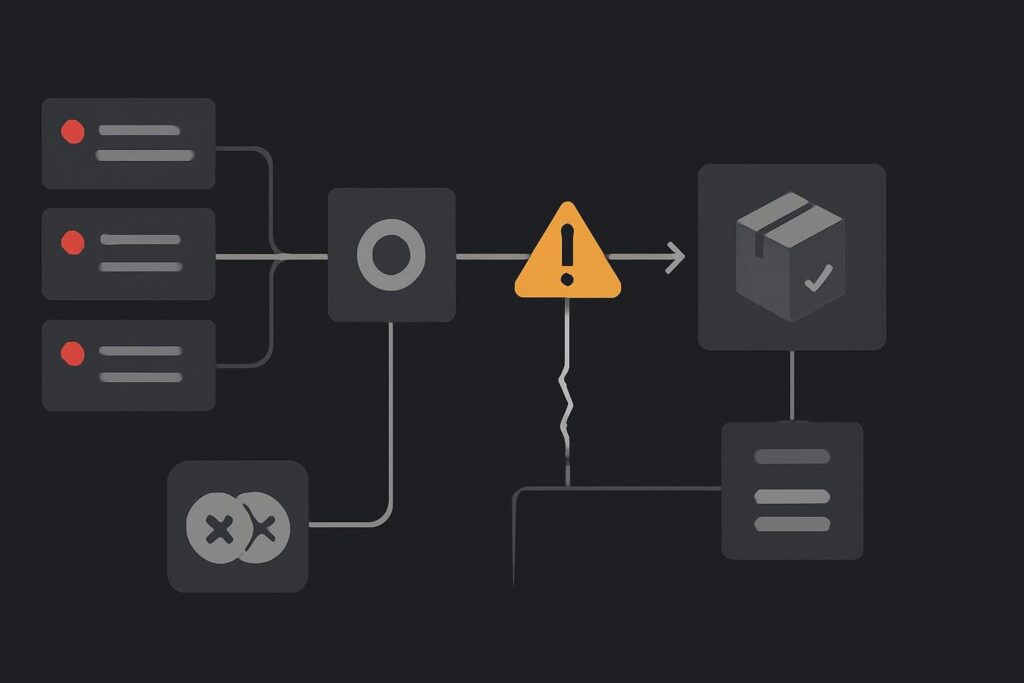
For stores in Dubai, the UAE, the UK or anywhere else running orders through another system, a disabled webhook can create a quiet operational gap. New orders may continue arriving in WooCommerce while the downstream process simply stops hearing about them. The awkward bit is that turning the webhook back on only addresses what happens next.
Establish the missing interval before touching the switch
Start with one order known to be absent downstream. Record its WooCommerce order number, creation time, status changes, payment method and whether the receiving system has any trace of it. Then identify the last order that did arrive properly and the first one that did not.
That gives you a working gap rather than a vague sense that the integration has gone a bit wonky. It also tells operations which orders might need attention, rather than asking them to search every order since Tuesday afternoon.
Check the webhook in WooCommerce under Settings, Advanced and Webhooks. Capture its current status, topic, delivery URL and the relevant delivery history before changing credentials or reactivating anything. A useful boring detail: note the exact access change time if someone recently rotated a secret, changed a firewall rule, moved an endpoint or replaced an old inbox-linked automation. Those timestamps often settle an argument quickly.
Read the delivery record, not the reassuring order screen
WooCommerce can automatically disable a webhook after repeated delivery failures. Its delivery logs can include the response returned by the receiving service, which is the evidence worth reading rather than guessing from an order status. The exact failure threshold can vary by installed version, so check the documentation and the version running on the store before quoting a number. WooCommerce covers the behaviour and delivery log details in its webhook documentation.
A WooCommerce webhook automatically disabled after delivery failures means WooCommerce has stopped attempting that configured delivery route. It does not prove that the order data is wrong, that payment failed or that the receiver was permanently unavailable. Inspect the webhook state and individual delivery records, repair the receiver response or authentication issue, then restore delivery and reconcile events missed while it was unavailable.
Sort the response into a repair lane
| What the delivery record suggests | Likely area to inspect | Safe next move |
|---|---|---|
| 401 or 403 response | Receiver authentication, expired secret, changed access policy | Confirm the sender contract and replace only the affected credential |
| 404 response | Moved route, wrong environment or deleted endpoint | Verify the production route and its expected path |
| 429 or 5xx response | Rate limit, receiver outage, proxy or application fault | Ask the receiving-system owner for the matching request evidence |
| Timeout or connection failure | DNS, firewall, TLS, hosting or receiver availability | Test the route from the relevant network boundary |
| Successful response but missing work | Receiver processing, queueing or duplicate rules | Trace the received event through its internal handler |
Do not treat every failure as a WooCommerce problem. A 401 after an access change is usually doing exactly what the receiving endpoint was told to do. The repair may sit with the fulfilment platform, an automation provider, a firewall owner or whoever changed the route.
An illustrative failure that catches teams out
Imagine an order export endpoint was protected after an access review. The endpoint now rejects WooCommerce deliveries because its expected token or authentication method changed. New orders continue through checkout, payment confirmation looks normal, and the warehouse team only notices when a customer chases a dispatch update.
The quick fix is tempting: re-enable the webhook and fire every missed order at the export endpoint. That can produce duplicate pick tickets if some events were accepted by the receiver but failed later in its own processing. Restore delivery and account for missed business events as separate tasks.
Repair one route and verify one controlled delivery
Once the receiver owner has corrected the route, authentication or availability issue, reactivate the webhook and verify a single agreed event. Use a low-risk test where possible, and agree what the receiver should create, update or ignore before sending it.
- Confirm the webhook is active and still points to the intended production endpoint.
- Check the receiver can authenticate and validate the request as expected.
- Send or trigger one controlled event appropriate to the workflow.
- Check the WooCommerce delivery record for the receiver response.
- Check the receiving system for the resulting business action, not merely a successful HTTP response.
That last check matters. A 200 response can mean the endpoint accepted a request, not that a shipment was created, stock was reserved or a member of staff saw the job.
If deliveries appear delayed because background tasks are also piling up, keep that diagnosis separate. A webhook receiver returning errors is a different issue from WordPress jobs waiting to run. Use the guide to finding the owner of a WooCommerce Action Scheduler backlog when the evidence points to queued actions rather than failed outbound delivery.
Reconcile the gap with duplicate control agreed first
Build a list of orders and events inside the missing interval. Include order ID, event type, time, current order status, whether the receiver has a matching record and whether a manual action has already happened. Then agree the reconciliation method with the downstream owner.
- Use a stable identifier, usually the WooCommerce order ID or an agreed external reference.
- Decide whether the receiver can safely ignore an already processed event.
- Separate orders requiring export from orders already fulfilled manually.
- Record who approves any replay and who checks the resulting work queue.
- Keep a copy of the gap list until operations confirms the records are accounted for.
Where duplicate orders or duplicate downstream actions are already suspected, follow the trace for WooCommerce duplicate orders after payment before assuming the webhook alone created them. Several systems can be involved, and replaying into an unclear chain is rarely clever.
Leave the connection easier to own
Once the immediate gap is closed, document the endpoint owner, authentication method, webhook topic, expected response behaviour and an escalation contact. A small handover note is less glamorous than another plugin install, but it saves somebody having to reconstruct the setup during a Friday afternoon fulfilment panic.
For a wider review of WordPress faults affecting orders, integrations and business-critical site behaviour, see our website repair support for Dubai businesses. The aim is not to make the setup complicated. It is to make failure evidence usable when somebody needs it.
Ask for a webhook delivery and missing-event review before replaying fulfilment work. That gives you a chance to restore the route, identify the gap and agree duplicate control before the warehouse receives a second helping of the same orders.