
Arabic WordPress launches need a full route test
Start at the final Arabic confirmation screen. A visitor in Dubai has completed the form, pressed send and needs a clear indication of what happens next. Is the message in Arabic? Does it read naturally on a mobile screen? Has the enquiry reached the intended inbox, or has it quietly landed in an old mailbox nobody checks?
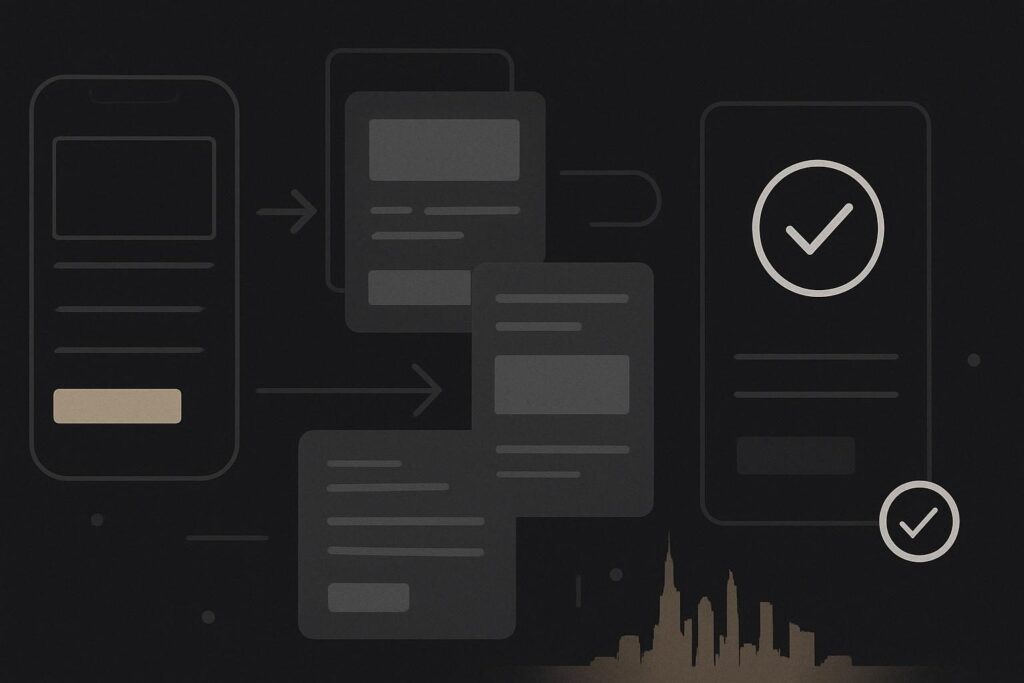
Work backwards from there. Can the visitor enter their details without fighting right-aligned fields? Is the phone number readable when Arabic labels sit beside Latin digits? Did the language switch preserve the page they were viewing, or dump them back on the homepage? A bilingual WordPress launch is a route to test, not a translated document to admire.
For a Dubai service business, an Arabic English WordPress website launch checklist should assign copy ownership, review right-to-left presentation with a competent Arabic reviewer, test the enquiry route on real devices and record who approves each stage. Accurate paragraphs do not prove that menus, forms, contact details, confirmation messages and email handover work properly in Arabic.
Set the Arabic approval owner before the build gets busy
Someone needs authority to say whether the Arabic is fit for customers. That should be a named Arabic-speaking reviewer who understands the business offer, not simply the person who supplied a translated Word file six weeks ago.
Give that person a defined sign-off job. They should check service names, calls to action, form labels, error messages, automated replies, WhatsApp links, addresses, opening hours and any legal or booking text. A translation can be grammatically sound and still feel odd, overly formal or commercially vague in context.
For UK businesses localising for the UAE, language is part of a wider market decision. The considerations in localising a British business website for Dubai are useful before the team starts treating the Arabic version as a final-stage content task.
Inspect RTL as a presentation job, not a WordPress tick box
WordPress can expose whether the current locale is right-to-left through the is_rtl() function. Useful, certainly. It tells WordPress about the locale direction. It does not establish that a theme, page builder, navigation component or translated customer journey has been properly implemented.
This catches people out because the body text may look acceptable while the practical controls are wrong. A button icon points the wrong way. A slide-out menu opens from an awkward side. A telephone number breaks into strange chunks. A two-column contact block keeps its English spacing and makes Arabic labels look bolted on.
Check every reusable component in Arabic, including:
- header navigation, mobile menu and language switcher
- hero buttons, card grids and accordions
- forms, validation errors and consent controls
- telephone numbers, email addresses, maps and social links
- footer links, policy pages and cookie controls
- booking, payment or third-party handovers where used
Good website design in Dubai has to account for the visitor’s actual reading direction and device behaviour. A tidy desktop screenshot is not enough evidence.
Give mixed Arabic and Latin content its own pass
Mixed-direction content is where a lot of otherwise decent builds go a bit wonky. Arabic copy often sits alongside English brand names, URLs, email addresses, dates, map pins and phone numbers. These are the bits visitors need when they are ready to act, so they deserve more attention than another decorative section.
Take an illustrative Dubai service website. The Arabic body copy is accurate. The contact page shows an Arabic heading, an English email address and a UAE number, but the number wraps badly on a narrow phone. The form submits to an English-only thank-you message, and the automated email says the team will respond soon without identifying the service requested. The translation passed. The handover did not.
Test contact details with real values, not filler content. Tap the phone number. Open the email link. Check that the WhatsApp link reaches the correct business number. Look at long Arabic names, Arabic numerals where relevant, Latin email addresses and any pasted map address. Tiny layout faults become credibility faults quickly when the visitor is trying to enquire.
Run the mobile enquiry as a visitor would
Use a real phone, preferably more than one screen size, and submit the Arabic form from a private browser session. Do not rely on an editor preview or a logged-in WordPress session. Cached scripts, saved autofill data and admin privileges can make a route appear healthier than it is.
- Open an Arabic service page from a normal mobile browser.
- Use the navigation and language switcher without returning manually to the homepage.
- Reach the contact or booking route from the call to action.
- Complete required fields, deliberately trigger one validation error, then correct it.
- Submit a genuine test enquiry to a monitored inbox.
- Read the on-screen confirmation, confirmation email and internal notification.
- Confirm the recipient can identify the language, service, contact details and source page.
The owner of the Arabic mobile form should sign off its confirmation message too. A success notice only proves the browser received a response. It does not prove the email arrived, avoided spam or reached someone who can act on it. Check the inbox, spam folder and any form plugin log or mail delivery record available on the site.
Make language switching behave like a route
Language switching needs a business decision. Should an English visitor on a particular service page land on the matching Arabic service page? Usually, yes, where an equivalent exists. Sending them to the Arabic homepage loses context and makes the site feel unfinished.
List exceptions before launch. Some pages may not have a direct equivalent, such as a campaign landing page, a case study or a third-party booking page. In those cases, decide whether to provide a clear fallback, hide the switcher for that route or create the missing counterpart. Leaving it to plugin defaults is how odd dead ends arrive late on a Friday.
Record acceptance criteria before anyone calls it finished
Put the bilingual checks into the project brief with an owner and a pass or fail outcome. This is more useful than a vague request to make the Arabic version look right. If you are still shaping the project, a Dubai website design brief that removes avoidable guesswork can help turn those expectations into proper delivery requirements.
Approve the Arabic customer journey, not just the translated document. The launch record should confirm that Arabic copy has an owner, RTL components were reviewed, mixed-direction details were checked, the mobile enquiry reached a working inbox and the customer-facing confirmation was approved in Arabic.
If the build brief is still open, include Arabic journey testing and content sign-off in your website build brief. It is a small line item compared with the annoyance of launching a bilingual site that cannot complete a basic enquiry properly.