
Client onboarding automation without the cold shoulder
A client signs, the agreement is approved, and the same details start making the rounds. Someone copies the company name into the CRM. Someone else creates a project folder. A delivery lead sets up a board, finance raises an invoice, and a welcome email goes out when somebody remembers.
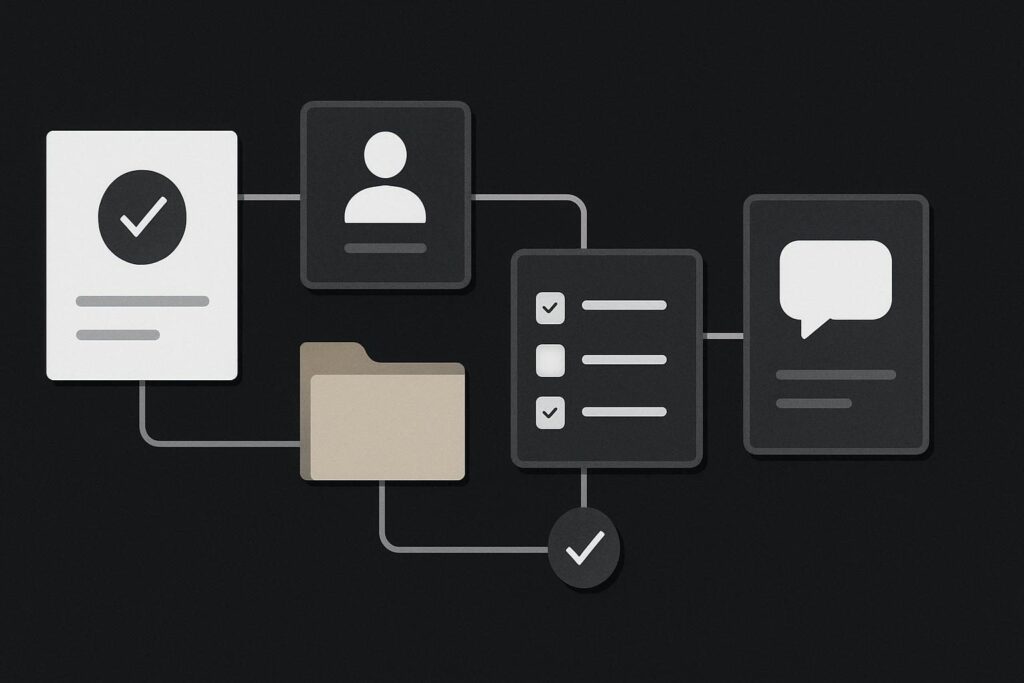
For a Dubai, UAE, UK or Liverpool service business, this is often presented as administration. It is really a reliability problem. Delays make a new client wonder whether the project is properly underway, while staff are left checking old emails to work out which version of the scope is the right one.
Client onboarding automation works best when it handles approved, repeatable setup work after a clear trigger. It should capture information once, create the required records in connected systems, notify the right people and send standard information. Human review should remain around scope, unusual requirements, delivery ownership and personal communication, because those are decisions rather than copying tasks.
Start at the signed-client moment
Take a typical consultancy, agency or professional service firm. A prospect has accepted a proposal and returned the agreement. The commercial information is now settled enough to create the working records, but it may still need a person to confirm the delivery route.
The poor version is a string of messages: sales tells operations, operations asks for the latest scope, finance waits for an address, and the account manager sends a welcome note after chasing everyone for a status update. It is all manageable until a busy week turns one missing field into five half-created records.
The better version begins with one controlled trigger. That might be a signed agreement, an approved deal stage in the CRM, or a completed onboarding form that only appears after the sale is confirmed. Pick one event and make it the source of truth. Do not let three separate systems each decide that a client has started.
Map the route from signed to project-ready
The useful exercise is an onboarding workflow map. It is not a flashy diagram for a meeting room wall. It is a list of what happens, where the data comes from, who owns the decision and what should happen when the neat route fails.
- Trigger: Define the event that starts onboarding, such as a contract status changing to signed.
- Approved data: List the fields allowed to move forward, including company name, main contact, billing details, service package, agreed scope reference and start date.
- Records created: Set out the CRM client record, project folder, task board, invoice draft and any internal briefing record that should be generated.
- Ownership: Name the person who reviews scope, assigns the delivery owner and confirms the client has a clear first contact.
- Exceptions: Decide what happens if a required field is missing, the scope is bespoke, the client has several entities or an existing project folder is already present.
- Human welcome: Keep the relationship-led message deliberate. A standard email can confirm next steps, but the named owner should still introduce themselves where the engagement warrants it.
This is where business automation implementation support becomes useful. The workflow needs to fit the systems already carrying client information, rather than forcing the business to rebuild everything around a fashionable connector.
A realistic onboarding sequence
Imagine a retained marketing consultancy. Once an agreement is signed, the automation creates a CRM record from the approved deal, generates a client folder using a consistent naming pattern, creates a project board from the relevant template and sends a standard welcome email with the agreed next step.
It then creates an internal task for a manager to review the scope and assign the delivery owner. That task is not an awkward leftover. It is the control point. A person can see whether the client bought a standard retainer, needs a specialist involved, has an urgent launch date or has sent a brief that bears only a passing resemblance to the proposal.
There is a dull but important check here: a form or CRM can display a success message without proving that every downstream record exists. An SMTP setting may be wrong, an old shared inbox may still be copied into the notification, or a folder permission may prevent the project lead accessing what has just been created. Test the whole route, including the confirmation received by the person who has to act on it.
Keep exceptions visible rather than clever
Trying to automate every possible variation is how a tidy onboarding process becomes a fragile contraption. If a new client has incomplete billing information, an unusual legal structure or a scope that needs technical review, the workflow should stop at a known point and assign a person. Quietly carrying on with guessed data only creates repair work later.
A sensible exception route might create an internal task, flag the record as awaiting review and prevent folder or invoice creation until the missing detail is resolved. That is far better than producing a project workspace called New Client Final Final and hoping someone notices.
The same thinking applies when looking at lead handling before the contract is signed. A clear automated lead follow-up workflow can keep enquiries from drifting through an unattended inbox, but a signed client needs a different level of care and ownership.
Automate the copying, not the relationship
Good onboarding feels organised, not automated. The client should receive accurate information promptly, know who is responsible and understand what happens next. They do not need to see the machinery behind it, and they certainly do not need a chain of generic emails pretending to be a relationship.
Keep scope interpretation, commercial judgement and delivery assignment with people. Automate the repeated transfer of approved information. This protects consistency without treating the client as a database entry that has accidentally acquired a pulse.
If the process is being used to patch a broken website form, unreliable email delivery or a messy CRM setup, deal with the underlying issue first. Website repair and automation need separate boundaries when the source process itself cannot be trusted.
Use the map before connecting anything
Before choosing software or asking someone to build a workflow, follow one recent onboarding from signed agreement to active delivery. Mark every place a person retypes the same detail, every handover that relies on memory and every point where a decision genuinely needs judgement.
That gives you a smaller, safer first automation. It also makes ownership obvious when something does not arrive where it should.