
GA4 booking self-referrals: inspect the handover
A booking platform appearing as a referral in GA4 is usually a handover problem, not proof that the platform deserves credit for finding the customer. A visitor may arrive from Google, click from your website to a separate booking domain, then return to a confirmation page with the booking provider now sitting in the acquisition report.
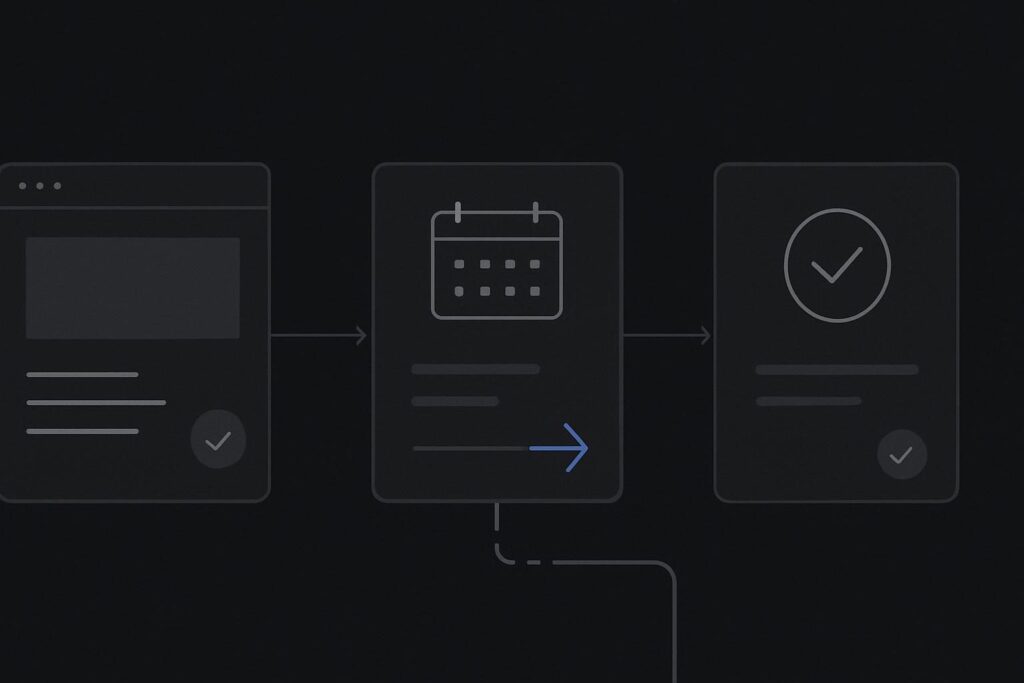
For a Dubai clinic, salon, hospitality business or consultant taking appointments through a third party, that can make website reports and booking reports look like they were assembled by different departments on different days. The important question is not whether GA4 can see a referral. It is whether it can recognise one person moving through one intended route.
Trace the route in three named steps
Start with the actual customer path: website, booking domain, confirmation. Put the full hostnames beside each step, including any www, subdomain, payment page or provider-managed confirmation address.
Then mark which domains your business can tag and administer. You may control the WordPress website but have no access to the booking domain. You may have access to the booking tool’s settings but not its templates. Or the provider may offer a GA4 field, but only on some pages. Those are materially different situations.
If the booking route is part of the main conversion path, it belongs in the wider conversation about website development for Dubai businesses with connected customer journeys. A neat brochure site is of limited use if the next click sends attribution into a fog.
A self-referral is a symptom, not the diagnosis
GA4 cross-domain measurement is designed for journeys across configured domains. Google documents the use of configured domains and linker parameters to pass measurement information between them, while redirects and unsupported third-party integrations can interrupt that continuity. Read Google’s cross-domain measurement guidance before treating any settings change as a repair.
In plain terms, GA4 booking domain self-referral can occur when the website and booking platform are not correctly connected as one measurement journey. It can also occur when a redirect strips the linker information, the booking provider does not permit the required implementation, or the confirmation page is outside the route you can tag. A referral exclusion may suppress a visible referral source, but it does not prove the original source, session and conversion have remained connected.
Map ownership before changing GA4 settings
There is a temptation to add the booking hostname to unwanted referrals and move on. It can be appropriate in a narrow case, but it is not a substitute for understanding the route. First establish what each party owns.
- Your main website domain and its Google tag implementation.
- The booking hostname, including whether it is a true subdomain or a provider-owned domain.
- Any intermediate login, payment or consent route.
- The confirmation location and whether it is accessible after a completed booking.
- The provider’s permissions for adding or configuring analytics measurement.
One boring but useful detail: check the exact destination URL generated by the booking button on the live site, rather than the one someone pasted into a project document six months ago. Booking suppliers often change regional routes, add a language path, or send mobile users through a different hostname. The button may still work perfectly while the tracking assumptions underneath it are now wrong.
Inspect the handover rather than guessing
Where both domains can support the same GA4 implementation, configure and verify the supported cross-domain arrangement. This is not merely a list of related domains in an account. The outgoing link or redirect needs to preserve the required linker information, and the destination needs to accept it.
Test the route in a controlled way. Begin on a known landing page with a recognisable source parameter, use the normal booking button, proceed through the provider’s permitted steps, and inspect whether the parameter survives the transition. Then confirm that the intended booking or confirmation event appears as part of a continuous measurement path.
Do not claim that this exactly reconciles with a CRM, call log or reception diary. It may not. A person can abandon, book by phone, use another device or decline measurement consent. The narrower aim is to prove whether the website-to-booking handover preserves the evidence that GA4 is allowed to collect.
A clinic booking example
Take an illustrative clinic website. A visitor lands on a treatment page from paid search, reads the practitioner details, and clicks Book appointment. The button sends them to a booking provider on another domain. After choosing a slot, they reach a provider-hosted confirmation page.
If the original visit starts on the clinic domain but the completed booking appears under the booking provider as a referral, the clinic cannot sensibly judge whether paid search, organic search or a referral partner began the enquiry. Staff may see a completed appointment in the booking system, while the marketing team sees a referral that tells them very little.
For clinics, this sits alongside other measurement checks in a healthcare website design approach for Dubai clinics, including whether service pages, practitioner information and booking calls to action make the intended route clear. The measurement route should reflect that path, rather than pretending the booking provider is the first meaningful touchpoint.
Keep cross-domain continuity separate from unwanted referrals
These settings solve different problems. Cross-domain measurement aims to preserve continuity across domains where the implementation supports it. Unwanted-referral handling helps stop specific referral sources from starting a new attributed session in situations where that would be misleading.
Using the latter without proving the former can make a report look tidier while leaving the customer journey split. That is the sort of tidy dashboard work that causes grief later when someone asks which campaign actually produced the bookings.
If the provider does not allow your analytics tag, accepts no cross-domain configuration, or removes linker parameters during redirects, document the boundary plainly. Record what the website can measure up to the outbound booking click, what the provider reports independently, and what cannot be joined reliably. Fix the handover you can measure and document the part you cannot.
When the route needs a proper measurement audit
Escalate when the domain list is unclear, the booking route changes by device or region, confirmation events are missing, or reports are being used to decide ad spend. A focused GA4 conversion tracking audit in Dubai is useful when the adjacent issue is broader than this handover, such as unclear conversion definitions, competing events or reporting that cannot be trusted for decisions.
Bring the website URL, booking URL, provider name, available analytics access and one example of the expected route. That is enough to start without everyone guessing from a screenshot.
Ask for a review of the website-to-booking measurement route, including any provider access limits.