
Small business automation service: scope before switch-on
A workflow can look perfectly respectable in a demo. A form is submitted, a contact is created, an email goes out and everyone nods along. Then a source field changes three weeks later, the workflow receives a blank value, and it fails quietly in the background.
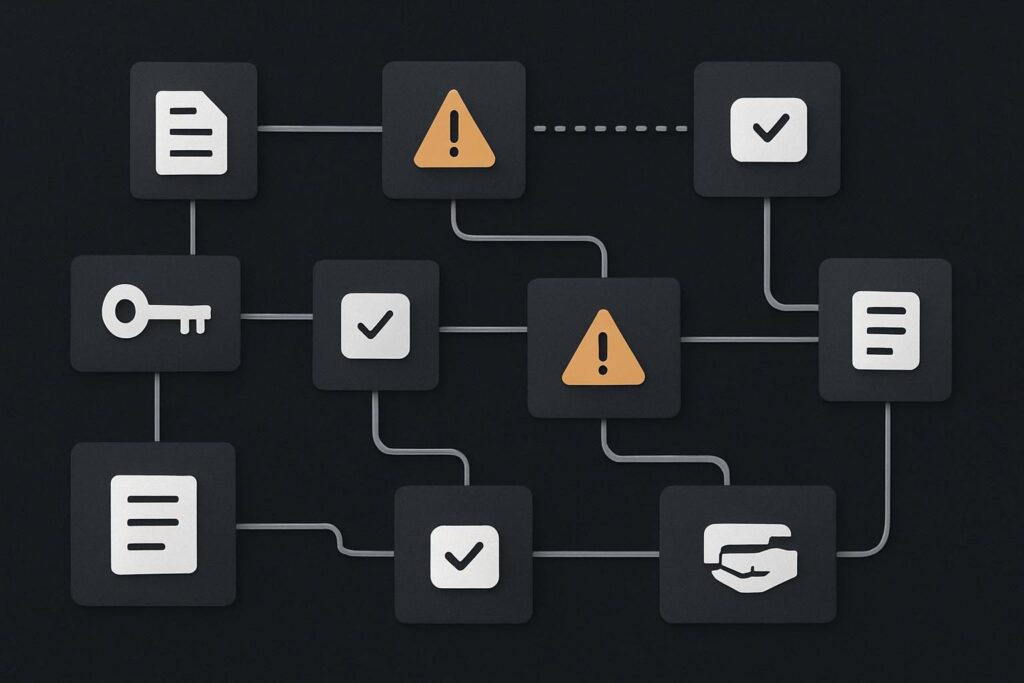
That is the bit a small business automation service needs to cover. For service businesses in Dubai, the UAE, Liverpool and the UK, the useful question is not whether a provider can connect two tools. Most can. It is whether they can define, test and own the work around that connection once normal business messiness turns up.
A proper automation service should include process discovery, written requirements, secure data access, workflow build, testing, exception handling, monitoring, documentation, handover and an agreed support route. The provider and business should know what starts the workflow, what counts as a failure, who receives alerts and who is responsible for fixing problems after launch.
The delivery checklist starts before any tools are connected
Before approving a workflow, ask the provider to describe the existing process in ordinary business terms. If they cannot explain what staff do now, what information they need and what outcome matters, they are building around assumptions.
A broader business automation service should begin with the process, rather than a favourite platform or a prebuilt template. The software choice matters, but it is not the job definition.
1. Map the process and name the owner
Document the trigger, the people involved, the systems touched and the expected result. A simple onboarding workflow might begin when a prospect accepts a proposal, create a client record, send an internal task and issue a welcome email.
It also needs an owner on the business side. That person does not need to be technical, but they do need authority to confirm the rules. Otherwise a developer ends up deciding whether an incomplete lead should be chased, parked or discarded. That is a business decision wearing a technical hat.
2. Turn the process into requirements
Requirements should state what data is required, what fields are optional, how duplicate records are treated, which inbox sends messages and what should never happen automatically. Be specific about timing too. A lead may need a follow-up after business hours, but an internal task might need to wait until the next working day.
This is also where you decide whether automation is sensible at all. A process with unclear ownership or frequent one-off judgement calls may need tightening first. In some cases, a small manual repair to the underlying process is more sensible than adding another automated layer. The difference is worth considering before treating every repetitive task as an automation candidate, particularly where website repair is being mistaken for an automation problem.
What should be included in the scope?
| Delivery area | What a credible provider should define | Who should own it after launch |
|---|---|---|
| Process discovery | Trigger, outcome, users, systems and business rules | Business owner approves the process |
| Data access | Accounts, permissions, field mapping and credential renewal route | Business owns accounts, provider records access method |
| Workflow build | Actions, conditions, timing, duplicate handling and safe limits | Provider builds, business approves behaviour |
| Testing | Happy path, incomplete records, duplicates, delays and failed connections | Shared sign-off |
| Exceptions | What happens when data is missing, invalid or unavailable | Named person or support route |
| Monitoring | Alerts, logs, failed-run review and response expectations | Agreed named owner |
| Documentation | Workflow purpose, dependencies, credentials, logic and recovery steps | Business retains a usable copy |
| Handover and support | Access transfer, training, change process and ongoing support boundary | Agreed before launch |
3. Build the awkward routes, not only the neat one
The fragile part of an automation is rarely the happy path. It is what happens when credentials expire, fields change or records arrive incomplete.
Take a small business onboarding workflow. A website form sends a lead into a CRM, assigns an owner, adds a tag and triggers an email sequence. During testing, every field is present and the test email arrives. Later, someone changes the form field from company name to business name. The label looks harmless, but the underlying field mapping changes. New records arrive without the value the CRM rule expects and the onboarding path stops.
A decent build deals with this deliberately. It can reject and flag incomplete records, send an alert to a monitored mailbox, create a review task or use a defined fallback value where that is genuinely safe. It should not silently invent data or continue into a sequence that makes the business look careless.
Check practical details too. Is the sending mailbox authenticated correctly? Is a shared inbox still active? Does the workflow depend on an OAuth refresh token that only one departing employee can renew? A contact form success message proves that a visitor reached the final screen. It does not prove the lead reached the right person or that the automation completed.
4. Test failures before real customers find them
Testing should include more than one clean record. Ask for evidence that the workflow has been tested with missing fields, duplicate contacts, malformed email addresses, delayed third-party responses and revoked access. If the automation sends messages, use a test mailbox and check the actual delivery route, including spam handling and reply behaviour.
For lead workflows, the same discipline applies after the first message. An automated acknowledgement is only useful if the enquiry then reaches a person who can respond. See how this applies to automated lead follow-up when enquiries drift between inboxes, rather than assuming the first automated email has solved the operational problem.
5. Decide how monitoring works on an ordinary Tuesday
Monitoring is often left out because it is less exciting than the demo. It is also what tells you a workflow has failed before a member of staff notices an awkward gap in the records.
- Define which failures send an alert and where that alert goes.
- Make sure the receiving mailbox is monitored by a real person, not an old generic address.
- Agree whether failed runs are retried automatically, reviewed manually or both.
- Set a clear route for changes to form fields, CRM properties, email templates and connected accounts.
- Keep basic logs long enough to investigate a reported missing record.
You do not need an enterprise control room for a small workflow. You do need to avoid an undocumented dependency that nobody trusts or knows how to repair.
6. Treat documentation and handover as launch deliverables
The workflow is only finished when the business knows what it does, what can break and who owns the response. That requires plain documentation, not a screenshot buried in a project chat.
Ask for a short handover document covering the purpose of the workflow, trigger, connected accounts, main rules, exception paths, alert destination, access ownership, known limitations and change procedure. Include a simple diagram if it helps. The aim is not to make everyone an automation specialist. It is to stop the business being stranded when a supplier is unavailable or a staff member leaves.
A buyer check before approving the first workflow
When comparing providers, do not compare the build price alone. Compare delivery ownership before, during and after launch. A cheaper scope can be perfectly reasonable if it states what it excludes. Trouble starts when monitoring, documentation and support are assumed by both sides and owned by neither.
- Ask for a written process map before build work begins.
- Confirm the exact trigger, required data and intended result.
- Request failure-path testing, not only a successful demo.
- Name who receives alerts and who investigates failed runs.
- Keep business-owned access to core accounts and credentials.
- Require usable documentation and a handover before sign-off.
- Agree how future changes will be requested, tested and released.
Compare delivery ownership before choosing an automation provider or approving the first workflow. It is a small check that can prevent a tidy demo becoming an operational mystery later on.
Questions buyers commonly ask
What should an automation service include?
It should include discovery of the current process, clear requirements, account and data access planning, workflow configuration, testing, exception paths, monitoring, documentation and handover. Ongoing support may be separate, but the boundary should be explicit before launch. A service that only connects tools may still be useful for a narrow task, but it is not full delivery ownership.
Who owns monitoring and failures after launch?
The answer should be agreed in writing. The business normally owns the underlying accounts, process decisions and access approvals. The provider may monitor and repair the workflow under a support arrangement, or train an internal owner to do so. What matters is that alerts have a destination, failures have a response route and changes are not made without testing.