
WooCommerce Liverpool: checkout is where it breaks
A WooCommerce store in Liverpool can pass the homepage test and still fail where it counts: payment, order emails, stock and fulfilment. If you’re planning WordPress development or replacing an existing shop, judge the build by the full sale, not by how tidy the product grid looks. That is where most of the expensive nonsense starts.
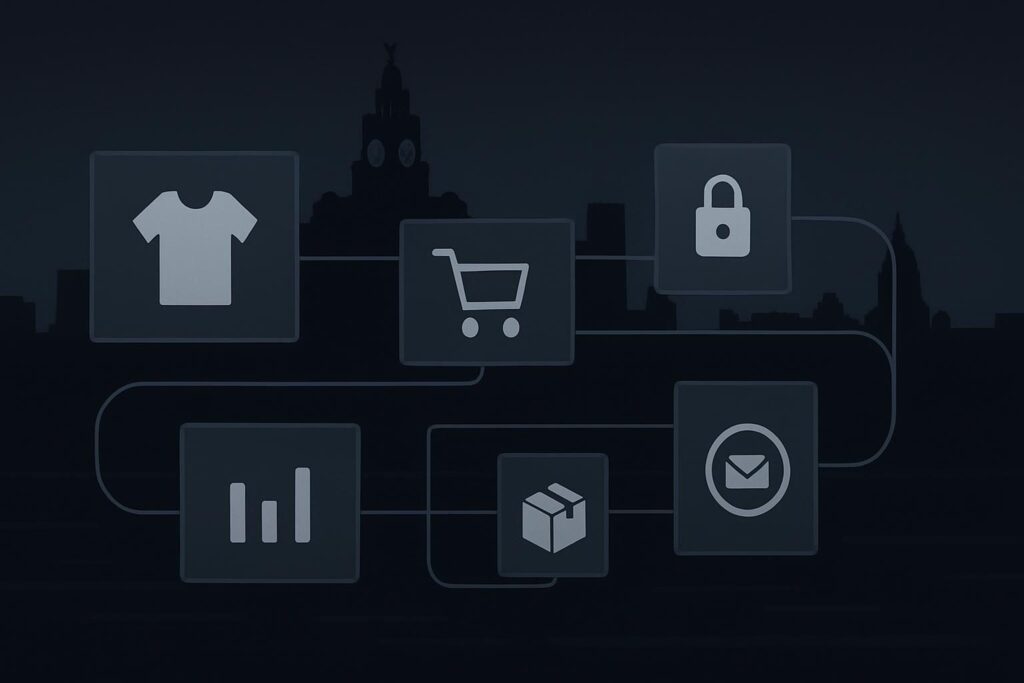
WooCommerce development should cover the complete buying process: product structure, basket behaviour, checkout, payment gateways, shipping rules, tax settings, order emails, stock handling, analytics, backups and WordPress maintenance after launch. A store is dependable only when a real customer can buy on mobile, the order is recorded correctly, staff receive the right messages and fulfilment can happen without guesswork.
The false assumption is simple: WooCommerce development is mainly product-page design. It isn’t. Product pages matter, of course. But the money changes hands at checkout, and the business headache usually begins after the order has been placed.
I’ve seen attractive shops where mobile customers couldn’t complete payment, order emails quietly failed, and staff had to keep refreshing the dashboard like they were watching the football scores. Not ideal.
The WooCommerce launch checklist that actually matters
Before launching, work through the parts of the store that affect the transaction. A homepage with products is a catalogue. A working shop needs the whole chain to behave.
For a fuller build route, Standish Services covers WordPress and WooCommerce development for Liverpool businesses, with the practical bits included rather than treated as awkward extras.
| Area | What to check | Why it matters |
|---|---|---|
| Products | Variations, SKUs, images, product categories, attributes and stock status | Messy product data creates customer confusion and fulfilment mistakes |
| Checkout | Mobile layout, required fields, coupon behaviour, guest checkout and account creation | Most abandoned orders happen closer to payment than the homepage |
| Payments | Gateway setup, test transactions, failed payments, refunds and currency settings | A store that cannot reliably take payment is only pretending |
| Shipping | Zones, local delivery, collection, free shipping rules, weight rules and edge cases | Bad shipping logic can block valid orders or undercharge delivery |
| Tax | VAT rules, inclusive or exclusive pricing, business location and customer location settings | Tax setup should be reviewed properly, not guessed inside WooCommerce |
| Emails | Customer receipts, admin alerts, failed order emails, SMTP delivery and old inboxes | A polite success message does not prove the email arrived |
| Stock | Stock reduction, backorders, low stock alerts and cancelled order behaviour | Wrong stock logic causes overselling and manual clean-up |
| Analytics | Purchase events, checkout steps, consent behaviour and payment confirmation tracking | You need to know where sales fail, not just how many people visited |
| Backups | Restore points, database backups and order-safe recovery process | Ecommerce recovery is more sensitive because orders keep changing |
| Updates | Plugin updates on staging first, especially payment, checkout and shipping plugins | A plugin updated during business hours can break the wrong part of the shop |
1. Product structure is not admin housekeeping
Products need to be organised in a way that customers, staff and the website can all understand. That means categories, variations, filters and SKUs should be planned before hundreds of products are imported.
A retailer selling clothing, for example, should know whether size and colour are variations, filters, attributes or separate products. Get that wrong and you can make stock control painful from day one.
2. Checkout needs real testing, not a quick glance
Do not test checkout only on a desktop while logged in as the site owner. Test it like a customer would. Mobile first. Guest checkout. Slow connection. Apple Pay or Google Pay if used. Failed payment. Cancelled order. Coupon code. Wrong postcode. Different shipping zone.
One boring detail: cached checkout scripts can cause payment buttons to misbehave after a plugin or theme update. The plugin might be guilty. It might also just be standing closest to the scene of the crime.
3. Payment gateways need more than API keys
Adding Stripe, PayPal or another gateway is not the finish line. Check the account status, webhooks, currency, redirect behaviour, refunds, failed payment notices and whether the order status updates correctly in WooCommerce.
On a Liverpool retailer’s store, the shop may look perfectly respectable, but if mobile payment authentication loops back to the basket, customers will not wait around to investigate. They’ll leave. Staff may only find out when someone phones up annoyed.
4. Shipping and tax rules deserve proper attention
Shipping is where simple stores become less simple. Local delivery around Liverpool, collection from store, UK mainland shipping, excluded postcodes, free delivery thresholds and bulky items all need mapping.
Tax settings need careful handling too. Standish Services is not your accountant, and tax rules should be confirmed with the right adviser. The website job is to implement the agreed rules properly and test common order scenarios.
5. Order emails are operational, not decorative
Order emails tell the customer what happened and tell the team what to do next. If they fail, the store can keep taking orders while fulfilment becomes a manual hunt through the dashboard.
Check admin order emails, customer receipts, failed order alerts and refund emails. Use proper SMTP rather than relying blindly on default WordPress mail. Also check the recipient inbox. You’d be surprised how often the shop is still sending to an old staff address.
6. Stock handling should match the real business
WooCommerce stock settings need to reflect how the retailer actually operates. Does stock reduce when payment is pending or only when payment is complete? Are backorders allowed? Who gets low stock alerts? What happens if an order is cancelled?
This is not glamorous work. It is also the difference between a manageable store and staff trying to reconcile website stock against shelves every Friday afternoon.
7. Analytics should track the sale, not vanity traffic
Basic analytics are not enough for an ecommerce build. You need to know whether people reach checkout, where they drop off, whether payment completion is recorded and whether campaigns are sending buyers or browsers.
Analytics setup depends on cookie consent, payment redirects and the tools being used. It should be tested with real order flows, including refunds and failed payments where possible.
8. WordPress maintenance is part of the project
WooCommerce stores have more moving parts than a standard brochure website. Payment plugins, shipping extensions, checkout scripts, theme files, caching, security tools and analytics tags all interact.
Ongoing WordPress maintenance for Liverpool websites should include backups, safe updates, uptime awareness, checkout checks and small fixes. It cannot guarantee nothing will ever break, but it reduces the chance of preventable failures being discovered by customers first.
Ownership after launch: decide who does what
A sensible WooCommerce project should leave the business knowing who owns each job after launch. Otherwise everyone assumes someone else is watching the shop.
- Products: who adds, edits and retires products?
- Orders: who checks failed payments and fulfilment exceptions?
- Emails: who receives admin alerts and who tests delivery?
- Updates: who updates plugins and who checks checkout afterwards?
- Backups: where are they stored and how is a restore handled?
- Reporting: who reviews checkout drop-off and sales tracking?
The recommendation is plain enough: test the sale from beginning to end before launch, then keep testing it after updates. The homepage is not where the money changes hands.
FAQs about WooCommerce development in Liverpool
How much does WooCommerce development cost in Liverpool?
Cost depends on product volume, design complexity, payment gateways, shipping rules, tax requirements, integrations, migration work and post-launch support. A simple store with standard products is very different from a store with subscriptions, complex shipping or stock integrations. Any quote should explain what is included in testing and ownership.
Does every WooCommerce store need custom development?
No. Many stores can use well-chosen WooCommerce features, a suitable theme and reliable plugins. Custom development makes sense when the business process cannot be handled cleanly by standard tools. Adding custom code too early can make maintenance harder, so start with the business requirement, not the clever build.
What payment gateways should a WordPress ecommerce website use?
The right gateway depends on your location, currency, customer preferences, fees, fraud checks and accounting process. Stripe and PayPal are common options, but setup still needs testing. The important part is not the logo on the checkout. It is whether successful, failed and refunded payments update WooCommerce correctly.
Why does WordPress maintenance matter for WooCommerce?
WooCommerce relies on WordPress, theme files, plugins, payment scripts and hosting. Updates can affect checkout, emails, shipping and analytics. Maintenance should include backups, controlled updates, staging checks where appropriate and order-flow testing. It is boring work until the store depends on it.
Can an existing website be migrated to WooCommerce?
Often, yes, but migration needs planning. Products, customer records, order history, URLs, images, redirects, tax settings and shipping rules all need review. The safest approach is to map the data, build a staging copy, test checkout thoroughly and launch with a rollback plan rather than rushing the switch.
Build the shop around the sale
A working WooCommerce store is judged by the transaction, the messages, the stock changes and the owner’s ability to manage it after launch. Nice product pages help. They do not rescue a broken payment flow.
For a calmer build, email Standish Services. Plan the store around the complete sale, not only the product catalogue.