
WooCommerce maintenance Dubai: test the sale, then trust the update
A WooCommerce store can pass its plugin updates and still fail the bit that pays the bills. That is the irritating part. The dashboard says everything is green, the homepage loads, the product grid looks normal, and meanwhile mobile checkout is quietly falling over after address validation. Lovely.
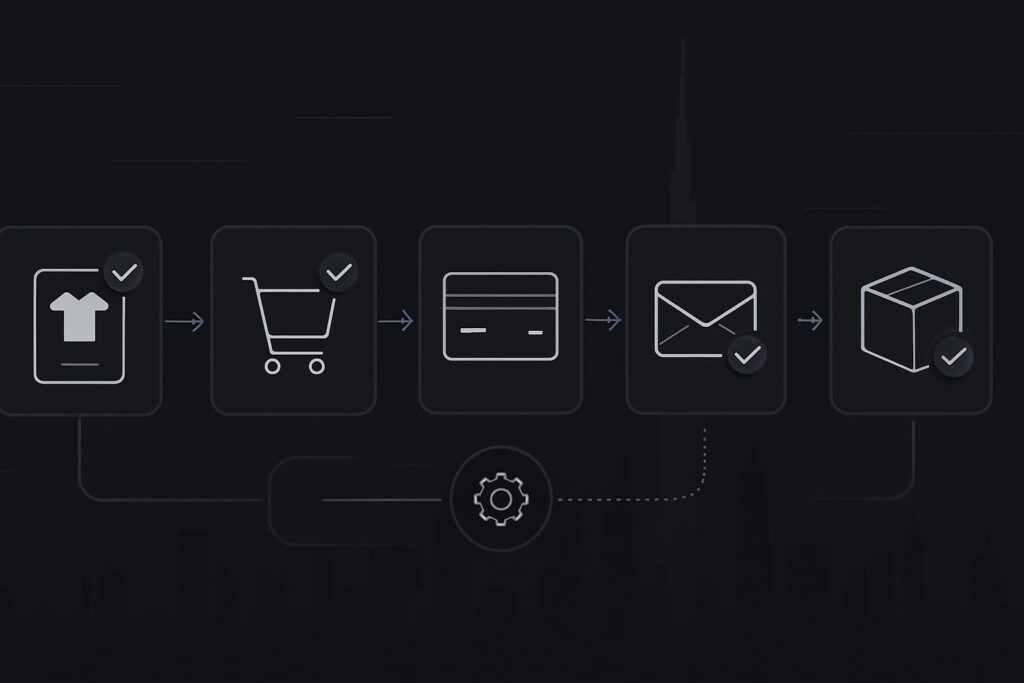
For Dubai retailers and UAE ecommerce teams, proper WordPress maintenance means checking whether a customer can choose a product, add it to basket, pay, trigger the right emails, update stock and give staff enough information to fulfil the order. Updating WooCommerce and extensions is only one part of maintenance. The commercial test is whether the order journey still works after those changes.
The false assumption: updated means maintained
Keeping WooCommerce plugins updated is sensible. Leaving them outdated for months is asking for bother. But an update completing successfully in WordPress does not prove that Stripe, Telr, PayPal, Tabby, Tamara, shipping rules, VAT display, stock handling, order emails or mobile scripts still behave properly together.
The plugin might be guilty. It might also just be standing closest to the scene of the crime.
A common scenario: a Dubai retailer updates a payment extension during a quiet afternoon. The update finishes cleanly. Later, mobile users get through product and basket, then checkout fails after address validation. At the same time, completed-order emails stop reaching the staff inbox because the transactional email path has changed. Customers think the order failed. Staff are reconciling payment records manually. Nobody enjoys this bit.
The WooCommerce maintenance checklist should follow a real order
The most useful WooCommerce maintenance routine is built around one boring question: can a real order be placed, paid for, recorded, emailed and prepared for fulfilment?
For stores with active revenue, a maintenance process should usually use backups, staging where appropriate, controlled updates and post-update transaction checks. The exact frequency depends on the store, order volume, plugin risk, campaign timing and internal team. Every store does not need daily manual testing. But pretending green update icons are the outcome is not ideal.
Standish Services uses transaction-led checks as part of practical website maintenance in Dubai, especially where WooCommerce is involved. The point is to confirm the journey that affects revenue, not admire the dashboard.
Checklist: complete and fulfil a test order
1. Take a backup before changing anything
Before WooCommerce core, theme or payment extensions are updated, there should be a known restore point. That means files and database, not a vague hope that the host has something somewhere.
- Confirm the backup completed.
- Know where it is stored.
- Check whether restore access is available if the site breaks.
- Avoid major updates during peak trading or campaign periods unless there is a clear reason.
Proper maintenance is boring until it is the only thing that saves the site.
2. Use staging for higher-risk updates
A staging copy is not magic, but it is better than testing payment extensions, checkout scripts and theme changes directly on a live shop when you do not need to.
Staging is especially useful when WooCommerce, a checkout customisation, a payment gateway, shipping logic or a PHP version change is involved. You still need to understand the limits. Some gateways, webhooks and email paths behave differently on staging, so live checks may still be required after release.
3. Update in a sensible order
Do not just hammer update all and wander off. WooCommerce maintenance should be done in a controlled order, with checks between risky changes.
- Update minor, low-risk plugins first where appropriate.
- Handle WooCommerce, payment and shipping extensions carefully.
- Check theme compatibility if the checkout template has been customised.
- Review any failed update messages, fatal errors or database update prompts.
4. Place a test order like a customer would
This is the bit many maintenance plans skip. A customer does not care that the plugin list looks tidy. They care whether the basket works on their phone.
- Add a normal product to basket.
- Try a sale item or variable product if the store uses them.
- Apply a coupon if discounts are active.
- Use mobile checkout, not desktop only.
- Complete a low-value test payment or sandbox payment where suitable.
- Check the order appears correctly in WooCommerce admin.
A contact form success message does not prove delivery, and a payment screen does not prove a completed order. Same family of nonsense.
5. Check payment gateways and webhooks
Payment can appear successful to the customer while the WooCommerce order sits in the wrong status. That creates manual reconciliation and awkward customer service messages later.
- Confirm the gateway receives the payment event.
- Check WooCommerce changes the order status correctly.
- Review webhook delivery where the gateway uses webhooks.
- Look for failed, pending or duplicate orders.
- Confirm refunds, captures or authorisations are handled in the expected way if the store uses them.
This is technical, yes, but it is also commercial. If the business cannot trust order status, the team starts running the shop from payment exports and inbox searches. That is where the fun starts.
6. Review shipping, tax display and address rules
This is not tax advice. It is a maintenance check to make sure the website is behaving as the business expects.
| Area | What to check | Why it matters |
|---|---|---|
| Shipping zones | Dubai, UAE and international zones show the expected options | Wrong rules can block orders or undercharge delivery |
| Address validation | Mobile fields accept realistic UAE address entries | Checkout can fail after the customer has already committed |
| Tax display | Prices and totals display according to the store settings | Confusing totals can reduce trust and create admin questions |
| Free shipping | Thresholds still trigger correctly | Promotions often break when cart logic changes |
7. Confirm transactional emails reach the right inbox
WooCommerce emails are not decoration. They are part of fulfilment.
- Customer order confirmation arrives.
- Admin new order email reaches the correct staff inbox.
- Completed-order email sends when order status changes.
- SMTP settings still work after updates.
- Emails are not landing in spam or an old inbox nobody checks.
A completed order that nobody sees is not a clean transaction. It is a small fire wearing a polite hat.
8. Check stock behaviour after the order
Stock issues are easy to miss during surface-level maintenance. Test whether the store reduces stock correctly, holds stock during pending payment if configured, and restores stock when an order is cancelled.
This matters more when the shop sells limited quantities, event stock, seasonal products or items also sold in a physical location.
9. Watch performance after the change
WooCommerce can slow down through extra scripts, bloated product pages, heavy images, tracking tags and checkout add-ons. Maintenance should include practical performance monitoring, especially on mobile.
- Check product pages and checkout on a normal mobile connection.
- Look for broken layout shifts after theme or plugin updates.
- Review caching exclusions for basket, checkout and account pages.
- Check whether new scripts are loading across every page when they only belong at checkout.
Before paying for ads, make sure the checkout is not making paid traffic work harder than it needs to.
Maintenance, repair or development?
Not every WooCommerce problem belongs in the same bucket.
- Routine maintenance covers planned updates, backups, monitoring, test orders and small corrective checks.
- Website repair is needed when checkout, payment, emails, layout or admin functions are already broken and need diagnosis.
- WordPress development is usually needed when the store requires new checkout logic, custom integrations, rebuilt templates or structural changes.
If the store is already failing, stop changing things until you know what changed first. A focused website repair process in Dubai is often safer than another blind round of updates. If the store needs new functionality rather than recovery, planned WordPress development in Dubai is the cleaner route.
A practical maintenance rhythm
There is no single schedule that suits every WooCommerce store. A small catalogue with low order volume is different from a busy retailer running promotions, multiple gateways and fulfilment integrations.
A sensible rhythm usually includes regular backups, monitored updates, security awareness, uptime checks, checkout testing after meaningful changes, and a more detailed review before campaigns, seasonal peaks or major plugin updates.
The smallest useful action is simple: after the next WooCommerce or gateway update, place a test order and confirm the whole journey. Product, basket, checkout, payment, order status, emails, stock and fulfilment notes. Follow the money.
FAQs about WooCommerce maintenance in Dubai
How often should a Dubai WooCommerce store be maintained?
Most WooCommerce stores need regular maintenance, but the frequency depends on order volume, plugin complexity, payment gateways, campaigns and risk. A busy UAE retailer may need closer monitoring than a small catalogue store. The important part is not only updating plugins, but checking the transaction journey after meaningful changes.
Do WooCommerce test orders need to be done manually?
Some checks can be automated or monitored, but manual test orders are still useful after payment, checkout, theme or shipping changes. A human check can catch mobile layout issues, confusing address fields, missing emails and odd checkout behaviour that basic uptime monitoring will not see.
Should payment gateway checks be part of WordPress maintenance?
Yes, for ecommerce sites. Payment gateways, webhooks and order statuses are part of the commercial system, not a separate nice-to-have. Maintenance should confirm that payment events reach WooCommerce correctly and that the business receives usable order information.
What if WooCommerce checkout is already broken?
If checkout is already failing, treat it as website repair rather than routine maintenance. Preserve evidence, check recent updates, review gateway logs, test the issue on mobile and desktop, and avoid making more changes until the likely cause is understood. Random fixes can make diagnosis harder.
Do backups protect a WooCommerce website completely?
Backups reduce risk, but they do not guarantee a clean recovery in every situation. WooCommerce stores change frequently because of orders, stock and customer data. Backup timing, restore method, hosting access and database condition all matter. A backup is essential, but it is not a maintenance strategy on its own.
Before you call the store healthy
Green update icons are not the outcome. Completed, recorded and fulfilable orders are closer to it.
Message Standish Services on WhatsApp if you want a practical review of your WooCommerce maintenance process. Check the complete transaction and fulfilment journey before assuming the store is healthy.