
WordPress image upload HTTP error: find the stage
A WordPress image upload HTTP error is a nuisance because it arrives halfway through an ordinary content edit and tells you almost nothing useful. A project photograph will not go into the Media Library, the deadline is still the deadline, and somebody starts suggesting a new plugin.
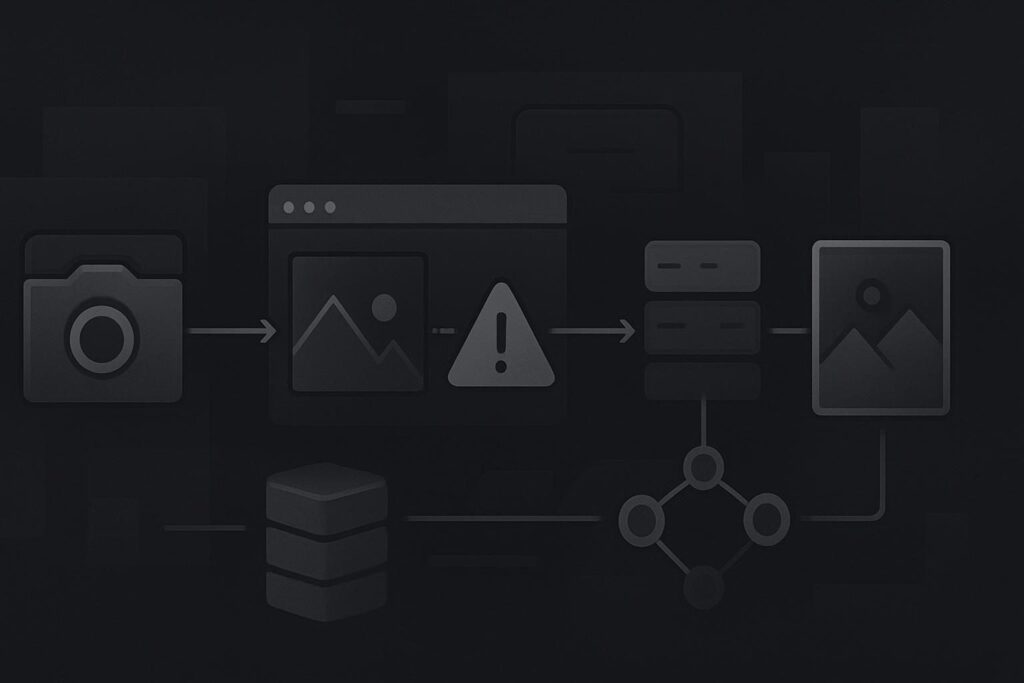
For a Dubai, UAE, UK or Liverpool business trying to publish a product, case study or campaign page, the useful question is not whether WordPress can show old images. It is where the new upload stopped.
The route is usually: browser request, server acceptance, temporary or permanent file write, image processing, then creation of the media record. The HTTP error can conceal a failure at any of those points. Existing images use a separate delivery route, so old media loading normally does not prove the server will accept and process every new file.
Separate the upload request from image processing
A WordPress image upload HTTP error can be caused by a request-size limit, a failure while writing the file, or a failure while WordPress creates image sizes and metadata. The response, the original file size, the pixel dimensions and one controlled smaller-file test help distinguish those branches. Transferring a file is not the same as processing it after arrival.
This distinction saves a lot of pointless prodding around the Media Library. Replacing or reinstalling it will not alter a host-level request limit, a full temporary directory, or a processing failure caused by the image itself.
Stage one: was the request accepted?
If a small image uploads but a larger one does not, request size is the first branch worth checking. PHP exposes separate upload_max_filesize and post_max_size controls. The WordPress PHP optimisation guidance notes that post_max_size needs to be at least as large as upload_max_filesize.
That is evidence for the request-size branch only. It does not establish that a larger file is the whole problem, and it says nothing about what happens once the file reaches the server.
Check the upload response in the browser’s Network panel or any server error output available from the host. Record the HTTP status, any response message, the image file size and its dimensions. Do not rely solely on the vague WordPress notice.
A controlled comparison beats repeated uploads
Use a reduced export of the same photograph, rather than a completely different image. It keeps the subject, format and basic source consistent while changing the likely load on the request and processing path.
Illustrative comparison: a large project photograph fails with an HTTP error, while a smaller export of that exact photograph uploads and appears in the Media Library.
- If the larger file is above a configured request limit and the smaller one is below it, the acceptance branch becomes the leading suspect.
- If both files are comfortably within the relevant limits but only the large pixel dimensions fail, investigate image processing and available resources.
- If the request appears accepted but no file reaches the expected upload path, investigate file writing, temporary storage, server storage and the associated server log.
- If the file is written but thumbnails or metadata fail, the original transfer may have worked while processing did not.
Keep the original file. It is useful evidence. Compressing or resizing an image can be a sensible publishing workaround, but it is not proof that compression fixed the underlying fault.
Look for the handover that failed
File-write faults often need host-level evidence. WordPress may hand the upload to PHP first, then attempt to move it into the uploads directory. A failure can involve storage capacity, a temporary path, ownership or server policy. Blanket permission changes are a poor first move because they can hide the actual arrangement without proving WordPress is even failing at that point.
Processing faults come later. WordPress may create intermediate image sizes, read metadata and use an available image editor after the file has arrived. Very large dimensions can be demanding even when the file size itself looks modest. A 3 MB image with enormous pixel dimensions is a different job from a 3 MB web export.
If the response is a 500 error, preserve the timestamp and inspect the relevant PHP or server error record before changing several plugins or settings. The process for reading a WordPress 500 error after a PHP update is useful when the failed request points towards a server-side fault.
Do not confuse a failed upload with a broken media grid
A Media Library grid that will not load is a separate incident from one new file failing at upload. They can share a cause, but they do not automatically do so. If the upload completes yet the library interface cannot retrieve or display media afterwards, follow the diagnostic route for a WordPress Media Library that is not loading rather than treating both symptoms as one vague media problem.
Likewise, if the business has several unexplained WordPress faults around uploads, editing or server changes, it may need a wider website repair assessment in Dubai. One failed image can be isolated. A pattern deserves a proper look.
What to collect before escalating
Do one controlled retry, then stop making random changes. The useful escalation bundle is small:
- The exact visible WordPress error and the browser response status or response body, where available.
- The original file name, file type, size and pixel dimensions.
- The result of a smaller export of the same image.
- The applicable PHP values for upload_max_filesize and post_max_size.
- The time of the failed attempt, so the matching host or PHP log entry can be found.
- Whether the file appears in the uploads directory or Media Library despite the error.
This is enough to decide whether the next action belongs with request limits, server storage and file writing, image processing, or a broader WordPress repair. It also avoids delaying a product, project or campaign page while somebody repeatedly uploads the same file and hopes it develops manners.
Send the error response, file size and dimensions so the failed upload stage can be identified.