
WordPress membership site maintenance needs a renewal test
A member renews, sees the payment confirmation and carries on with their day. Two days later, they cannot open the course area, resource library or client portal they paid for. The payment may have completed correctly. The problem is that their WordPress role was not extended, so access expired anyway.
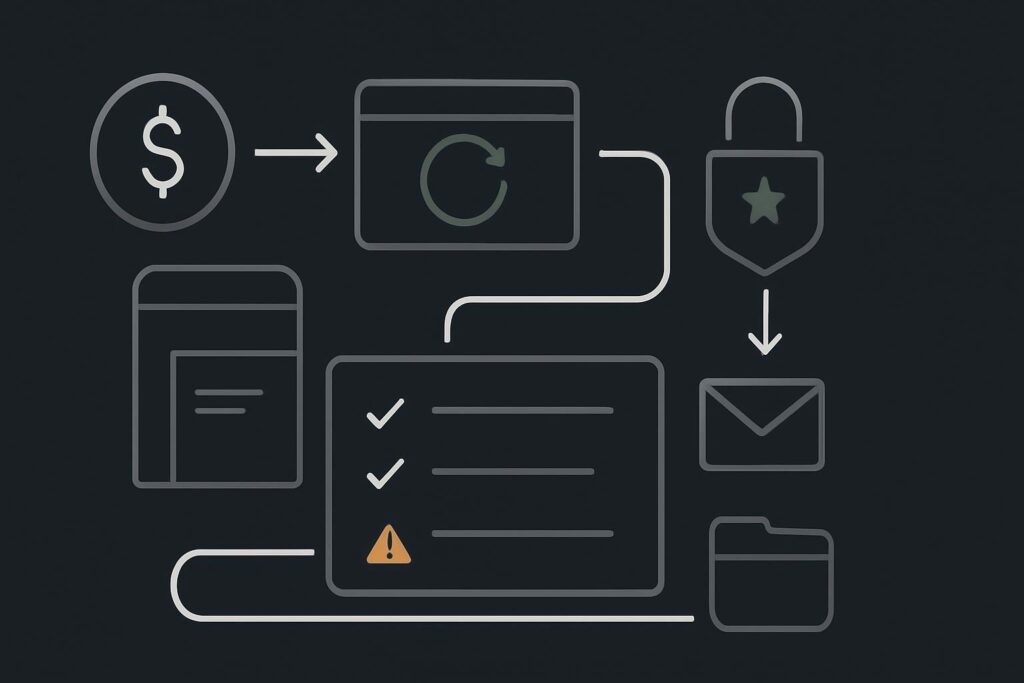
That is the awkward bit with membership websites. The public pages can load, members can log in, and the admin area can look perfectly respectable while the work happening behind the scenes has stalled.
For membership businesses in Dubai, the UAE, the UK or Liverpool, WordPress membership site maintenance should test the full member process from renewal through to continued access. Checking that users can log in is useful, but it does not prove that scheduled renewals, role changes, email delivery, protected content rules and background queues are working together.
The maintenance checklist should follow the member
A membership site is a chain of connected actions. Different plugins, server processes and email services may handle different parts of it. A fault in one link can leave the rest looking healthy enough to fool everybody for longer than it should.
The most useful maintenance routine uses a controlled test member. This is a real account created specifically for testing, using an inbox the business can access and a membership level that reflects an actual customer journey. It should not be somebody’s personal admin account with every permission under the sun.
1. Keep a controlled test-member account
Create and document at least one test account for each materially different membership route. That might mean monthly access, annual access, a trial, a team plan or a course bundle if those rules differ.
- Use a dedicated email inbox that can receive renewal notices and password resets.
- Record the membership level, expected renewal date and access areas.
- Keep the account separate from administrators and support staff.
- Check the account can log in through the same route a member uses.
This gives you a repeatable test rather than a vague look around the dashboard. It also stops the usual scramble when a real member reports an issue and nobody can safely reproduce it.
2. Test a renewal from payment to protected access
The core check is simple in principle: complete a controlled renewal, then verify every expected result. The exact steps depend on the membership setup, so this is not advice about how any particular payment or membership plugin should behave. It is about proving the business process that your own site relies on.
- Start with the test member in the correct pre-renewal state.
- Complete the approved test renewal route available for the site.
- Confirm the membership record reflects the expected status.
- Check that the expiry or next renewal date has changed as expected.
- Verify the member role or access capability has been extended where applicable.
- Log in as the test member and open a protected page, download or portal area.
- Confirm the relevant customer and internal notification emails arrive.
A useful WordPress maintenance process for membership websites records this end-to-end test, including what was checked and any exception that needs attention. A green update screen is not much comfort if the paid member cannot see what they bought.
3. Check the background jobs that nobody sees
Membership faults often live in scheduled jobs, queues and callbacks rather than visible pages. Renewal attempts, expiry actions, reminder emails and role updates may be waiting in a queue, repeatedly failing or running late.
| Maintenance check | What to confirm | Why it matters |
|---|---|---|
| Scheduled actions or queue | Recent jobs are completing and failed jobs are reviewed | Renewals and email tasks may depend on background processing |
| WP-Cron or server scheduling | Scheduled work is running reliably for the site’s traffic pattern | Low traffic or a blocked process can delay time-sensitive actions |
| Email delivery | Renewal messages reach the test inbox and do not merely appear as sent | A mail log or order record does not prove inbox delivery |
| Access rules | Protected content opens for an active member and stays restricted where appropriate | Role and rule changes can fail independently of payment records |
One boring but important detail is the sender setup. A renewal email can be generated by WordPress but rejected later because the sending domain, SMTP credentials or recipient filtering has changed. The membership dashboard may say sent. The member’s inbox may say otherwise.
4. Check expiry as well as renewal
It is tempting to test only the happy path. However, access removal matters too, particularly where content, professional resources or private communities are involved.
Use the test account to confirm that expiry rules behave as intended and that a renewed account does not get caught by an old expiry action still sitting in a delayed queue. This is one of those faults that can produce a perfectly successful payment followed by a baffled customer and a support ticket.
5. Update with a rollback route, not blind optimism
Membership sites often depend on several moving parts: the membership plugin, payment integration, email service, cache rules, custom role logic and protected-content configuration. Routine updates are sensible, but they should be assessed against the member journey.
- Take a current backup that includes both files and database.
- Confirm where the backup is stored and who can restore it.
- Use a representative staging copy where it is safe and sufficiently current.
- Apply updates in a controlled order rather than changing the whole stack during business hours.
- Repeat the test-member journey after material changes.
If an active member suddenly loses access after an update, that moves beyond routine maintenance and into diagnosis. A focused website repair review should trace the affected renewal, role assignment, scheduled action and access rule before anyone starts randomly toggling plugins.
6. Keep evidence of what was tested
For a recurring-revenue site, maintenance notes should show more than plugin versions. Record the date of the controlled renewal test, the test account used, whether access and emails worked, any failed background actions, backup status and unresolved risks.
You do not need a ceremonial report full of green circles. You need enough evidence to know whether the member journey was checked and what requires a decision.
Membership maintenance is a revenue check
If members can log in today, that proves one thing: they can log in today. It does not prove that tomorrow’s renewals will update access, that expiry actions will run on time, or that the renewal email will land in an inbox.
For most membership sites, the clearest recommendation is to run one controlled end-to-end renewal test before each billing cycle or after any meaningful change to the membership, email, hosting or update setup. It is a modest bit of admin compared with explaining to paying members why their access vanished.
Useful membership maintenance questions
How often should a WordPress membership site be checked?
The frequency should reflect billing cycles, membership volume, recent changes and how much the business relies on automated access. At minimum, check key background jobs regularly and run a controlled renewal test before a significant billing cycle or after changes affecting membership functions.
Can a payment succeed while membership access fails?
Yes. Payment confirmation, membership status, role assignment, protected-content rules and emails can be separate steps. A successful transaction can exist alongside a failed or delayed role update, which is why the test should continue until the member can access the intended protected area.
Do backups help with membership problems?
Backups provide a recovery option when an update or configuration change causes a wider issue, but they do not replace diagnosis. A restore should be considered carefully because membership activity may have changed since the backup was taken. The backup itself also needs periodic restore testing.
Message Standish Services on WhatsApp to test the member journey before the next billing cycle.