
WordPress too many redirects in Dubai? Trace the loop
Your browser is being sent back to a URL it has already visited. It tries HTTPS, gets redirected, tries another version of the domain, then arrives back where it started. Eventually Chrome gives up with ERR_TOO_MANY_REDIRECTS and the site, or WordPress admin, becomes unreachable.
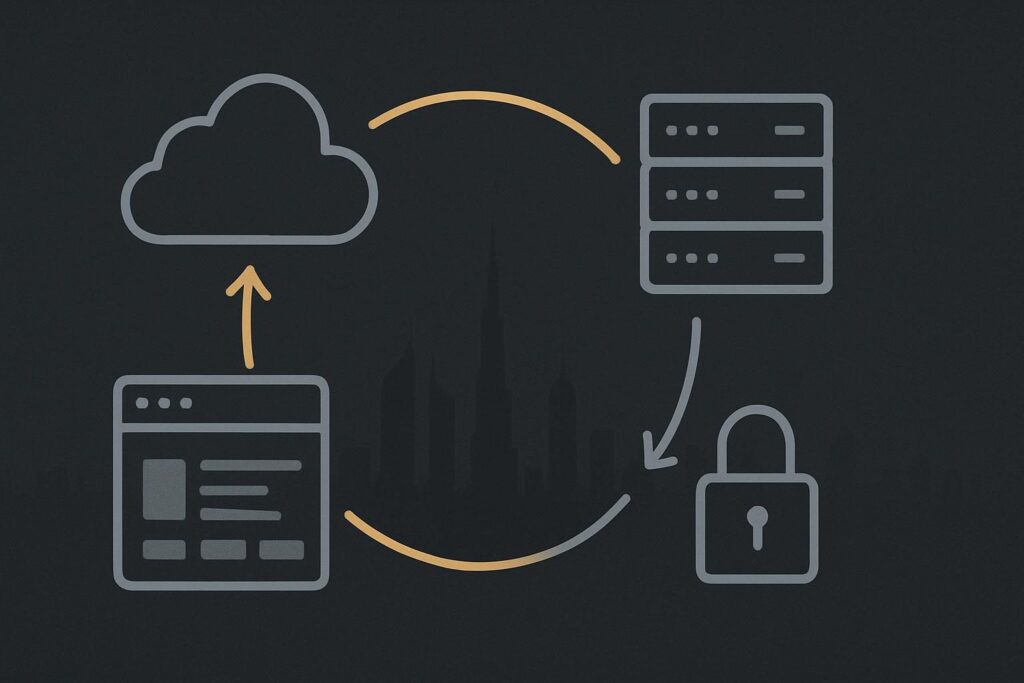
For a Dubai WordPress site, this is rarely a single broken setting. More often, Cloudflare, the hosting server and WordPress each believe they own the canonical URL. They make reasonable decisions in isolation, then create a very silly round trip together.
If the site is live but visitors are locked out, treat it as a website repair diagnosis rather than a general tidy-up job. A Dubai website repair review is useful once the chain is visible and the correction needs applying safely.
The error is a chain, not a verdict
WordPress ERR_TOO_MANY_REDIRECTS means the browser has received enough redirect responses to conclude it is stuck in a loop. The useful question is not which plugin to delete first. It is which layer issued each redirect, what URL it sent the request to, and why.
A persistent WordPress redirect loop is commonly caused by conflicting HTTP to HTTPS rules, www to non-www rules, incorrect WordPress Address or Site Address values, proxy headers, Cloudflare SSL settings, redirect plugins or server configuration. Browser cache can preserve an old symptom, but it does not normally create an active loop that occurs in a private window, another browser or a command-line request.
Record the journey before touching the settings
Use a redirect-chain worksheet. It can be a plain note rather than anything grand: one row for every hop, recording the requested URL, status code, destination URL, host, scheme and likely rule owner. The point is to stop guessing.
- Request: the exact URL requested, including HTTP or HTTPS and www or non-www.
- Status: normally 301, 302, 307 or 308.
- Location: the destination sent back in the response.
- Owner: browser behaviour, Cloudflare, hosting rules, WordPress, a plugin or application code.
- Evidence: a response header, a rule name, a setting value or a log entry. Avoid writing assumed when unknown is more honest.
Start from a clean request. Test the homepage and /wp-admin/ separately, in a private browser window if needed. Better still, inspect response headers with a redirect checker or command-line tool. Browsers are good at showing the error. They are less helpful at showing which system made the last bad decision.
Follow the usual suspects in the order they see the request
1. Browser and cached redirects
Clear site data or use a private window to remove stale cookies and cached 301 responses from the conversation. This is a test, not a repair plan. If the loop persists elsewhere, move on.
It is worth checking whether the problem is actually a hostile destination rather than a clean canonical loop. A site that suddenly forwards only some visitors to an unrelated domain needs a different path from a normal HTTPS loop. The distinction is covered in this guide to repairing suspicious WordPress spam redirects.
2. Cloudflare SSL and redirect rules
Cloudflare may force HTTPS through its encryption mode, an edge redirect rule, Always Use HTTPS, or a page rule left behind from an earlier setup. Check the active rules, not just the setting that looks most likely.
The awkward configuration is Cloudflare forcing HTTPS while connecting to the origin in a way that makes WordPress think the visitor used HTTP. WordPress then redirects to HTTPS. Cloudflare repeats its own handling of the request. Round and round it goes.
3. Hosting and server configuration
At the origin, inspect Apache .htaccess rules, Nginx server blocks, host control-panel redirects and any managed-host HTTPS enforcement. A duplicated rule is not automatically wrong. Two rules that disagree about the preferred hostname are.
For example, the server may redirect www to non-www while a legacy hosting redirect sends the apex domain back to www. The browser does not care which version you prefer. It will follow both until its redirect limit is reached.
4. WordPress URL ownership
WordPress has its own view of where it lives and where visitors should see it. Its WordPress Address and Site Address settings are used throughout the application, and WordPress warns that incorrect URL changes can leave a site not working properly in its guidance on moving WordPress.
Check Settings, General where admin access is available, then wp-config.php for WP_HOME and WP_SITEURL constants that may override the screen. Also check whether a multisite configuration, a domain-mapping tool or a security plugin is enforcing a different host.
A mundane but common detail: somebody changes the domain in wp-config.php during a launch, then later changes the URL again in WordPress admin. The admin screen appears to save normally, but the constants still win. That can waste a full afternoon if nobody checks the file.
5. Proxy headers and WordPress HTTPS detection
When Cloudflare or another reverse proxy sits in front of the host, WordPress needs a reliable signal that the original visitor used HTTPS. If the origin only sees an HTTP connection from the proxy and the forwarded scheme is not handled properly, WordPress can keep issuing an HTTPS redirect for a request that is already HTTPS at the edge.
This is the classic Dubai scenario: Cloudflare enforces HTTPS, the origin receives a proxied request, and WordPress detects the wrong scheme. The fix is usually to make one clear decision about SSL enforcement and ensure the proxy and origin agree on the forwarded HTTPS status. It is not to remove every redirect plugin and hope for the best.
Keep cache faults separate from redirect faults
Cache can make diagnosis muddy. You may fix a redirect rule and still see an old response from a browser, CDN or host cache. Equally, a page that seems stuck on an old version may be a cache-layer issue rather than a redirect issue. Use a separate check for WordPress edits not appearing across cache layers rather than treating all stale behaviour as one fault.
The safest correction order
- Choose the intended public URL: HTTPS, with either www or non-www.
- Write down every active redirect that affects that URL.
- Confirm WordPress home and site URL values match the intended address.
- Confirm Cloudflare SSL mode and rules support that decision.
- Confirm server rules and proxy headers do not contradict it.
- Remove or amend only the proven duplicate or conflicting rule.
- Retest the full chain, homepage, key landing pages and /wp-admin/ from a clean session.
Randomly removing redirects can damage canonical URLs, lock out admin users or create mixed HTTP and HTTPS versions for search engines. One owner per decision is the cleaner arrangement. Find which layer owns each redirect before changing the chain.
If you have the hop list but need help interpreting the headers, Cloudflare rules and WordPress configuration, message Standish Services on WhatsApp to map the redirect chain before deleting rules or changing the domain configuration.