
Automated invoice reminders for small business, with brakes
An overdue invoice receives a firm reminder on Tuesday morning. The client has already raised a dispute with the project manager, who has added a note in a separate system. Finance cannot see it. The accounting platform can only see an unpaid balance and a date.
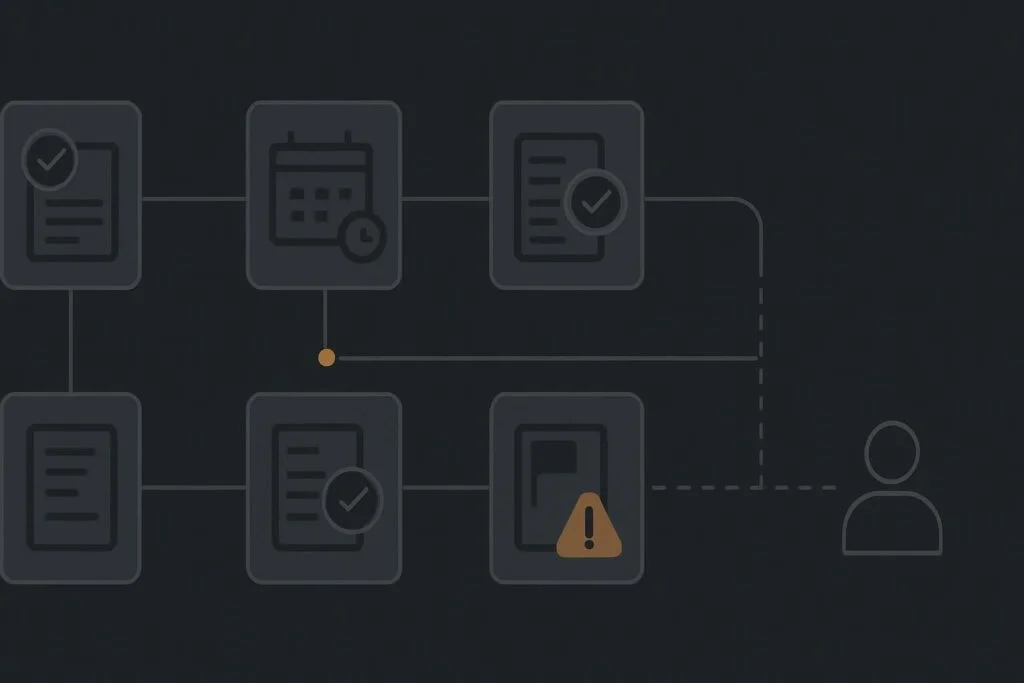
That is how a perfectly reasonable attempt to reduce manual chasing turns into an awkward client conversation. For a small business in Dubai, the UAE or the UK, the issue is rarely writing the reminder email. It is deciding when the email should not go out.
The invoice date is only part of the story
Automated invoice reminders for small business should use approved invoice data, due-date rules, payment checks and clear stop conditions. The workflow can prepare and send routine messages, but it should pause where an invoice is disputed, a payment date has been promised, a senior contact is involved or someone has taken ownership of the conversation. A named person then decides the next move.
The usual assumption is that every overdue invoice belongs in the same sequence until payment lands. It sounds efficient, right up until an already-resolved account gets a final demand because a credit note, bank transfer or project dispute sits somewhere else.
Automation is useful when it handles repeated checks consistently. It is less useful when it pretends a date field can understand context. If you are considering wider workflow work, business automation services for controlled operational workflows are worth reviewing after the rules and exceptions are clear.
Start with an approved invoice, not a draft or a spreadsheet copy
The trigger should come from the accounting system only after the invoice is approved and issued. That sounds obvious, but businesses often have a spreadsheet export, a CRM record and an accounting record all carrying slightly different versions of the same information.
Choose one approved source for the invoice number, client name, amount, due date, currency, invoice status and primary billing contact. The automation should read from that source rather than copying values into another table that soon becomes yesterday’s news.
Also check the sending setup. Invoice reminders sent through a generic mailbox with an unmonitored reply address create their own mess. Make sure replies land in an inbox that somebody actually checks, and that the SMTP sending identity matches the business contact the client expects to hear from.
A workable route from due date to a person
The timing will vary by sector and client relationship, but the structure should be visible before anyone connects software. A professional services firm, clinic, agency or contractor may use different wording and intervals, yet the decision points remain broadly the same.
| Workflow stage | Automated action | Check before it continues | Owner if it stops |
|---|---|---|---|
| Invoice approved | Store approved invoice data and due date | Invoice is issued, contact is correct and status is open | Finance or accounts owner |
| Before due date | Optional polite reminder or statement | No dispute, hold flag or promised payment date | Accounts owner |
| First overdue stage | Send a neutral overdue reminder | Recheck payment status immediately before sending | Accounts owner |
| Second overdue stage | Prepare firmer follow-up | No payment, credit note, dispute or relationship flag | Finance lead or account manager |
| Exception route | Pause all scheduled reminders and create a task | Disputed, promised, part-paid, sensitive or manually handled | Named human owner |
| Human escalation | Provide invoice history and latest notes for review | Owner chooses contact, revised date or resolution route | Finance lead, director or project manager |
Put payment checks immediately before each message
Do not rely on a once-a-day export if the system can check the live invoice state before sending. A payment may arrive overnight, a credit note may be applied, or an accounts colleague may mark the invoice as being dealt with manually.
Where payment feeds take time to reconcile, the workflow needs a cautious status. For example, a bank transfer marked as expected should pause escalation until a named person confirms whether it has arrived. That is preferable to firing off a sharper email at 9am because the reconciliation ran at 8:45am.
Give exceptions their own route
The most important part of the workflow is often the least glamorous: the stop list. Build it as explicit fields or flags that the automation can read, rather than relying on a comment hidden in a project management tool.
Useful stop conditions include
- The invoice is marked disputed or under review.
- The client has given a credible promised payment date.
- A partial payment or credit note is being processed.
- A project manager or director has taken over communication.
- The client is on a sensitive account list, such as a strategic retained client.
- The invoice has been cancelled, written off or otherwise resolved outside the usual payment route.
Each stop condition needs a destination. A paused reminder without an owner is just a quieter problem. Assign the task to a role or named person, include the invoice record and latest contact history, and set a review date. This is where many small automations go a bit sideways: the system successfully stops, but nobody knows it has stopped.
The disputed invoice that kept escalating
Take a service business with project managers working in one platform and finance working in an accounting system. A client disputes part of an invoice because the agreed scope changed mid-project. The project manager records the discussion in the project system and promises to review it.
Meanwhile, the accounting system sees an unpaid invoice and continues its sequence: initial reminder, overdue notice, then a more formal final message. Nobody has done anything malicious or particularly daft. The workflow simply has no route between the dispute note and the reminder engine.
The fix is not necessarily a grand integration. It may be as simple as a visible dispute flag in the accounting record, a required owner field and a pause action that applies before any reminder stage runs. Automate the repeated check and preparation, not the judgement needed for exceptions.
Test the awkward cases before switching it on
A reminder sequence that works for one clean unpaid invoice proves very little. Test a paid invoice, a part-paid invoice, a disputed invoice, a client who promises payment next week, a cancelled invoice and an invoice whose billing contact has changed.
Check what happens when the accounting platform changes an invoice status late, when the automation connection loses access, and when an email reply arrives. A sensible delivery scope should cover failures, monitoring and handover, not only the neat demo route. What a small business automation service should include before switch-on is a useful check if the workflow will affect client communication.
It is also worth mapping where project, finance and client-service notes cross over. The gap is usually a handoff problem before it is a software problem. Use a business process automation handoff audit to identify which status, decision and owner must travel between systems.
A small business invoice reminder map to adapt
- Use the approved accounting record as the invoice source.
- Set the due-date trigger and reminder stages appropriate to your client relationships.
- Run a fresh payment and status check immediately before every message.
- Pause reminders when a dispute, promised payment date, credit note, manual handling or sensitivity flag exists.
- Create an owned task for every paused or escalated invoice.
- Give the owner the invoice details, payment history and relevant client notes.
- Review the exception queue regularly, rather than assuming silence means resolution.
Map the conditions that should stop a reminder before automating the messages. If you want a practical second pair of eyes on the workflow, map the conditions that should stop a reminder before automating the messages with Standish Services.