
WordPress noindex after launch? Check the response
Search Console says Excluded by noindex tag, yet the service page is live, linked in the menu and looks perfectly presentable. It is a fairly miserable launch surprise for a Dubai or UK service business that has just signed off the design and expects the page to start earning its keep.
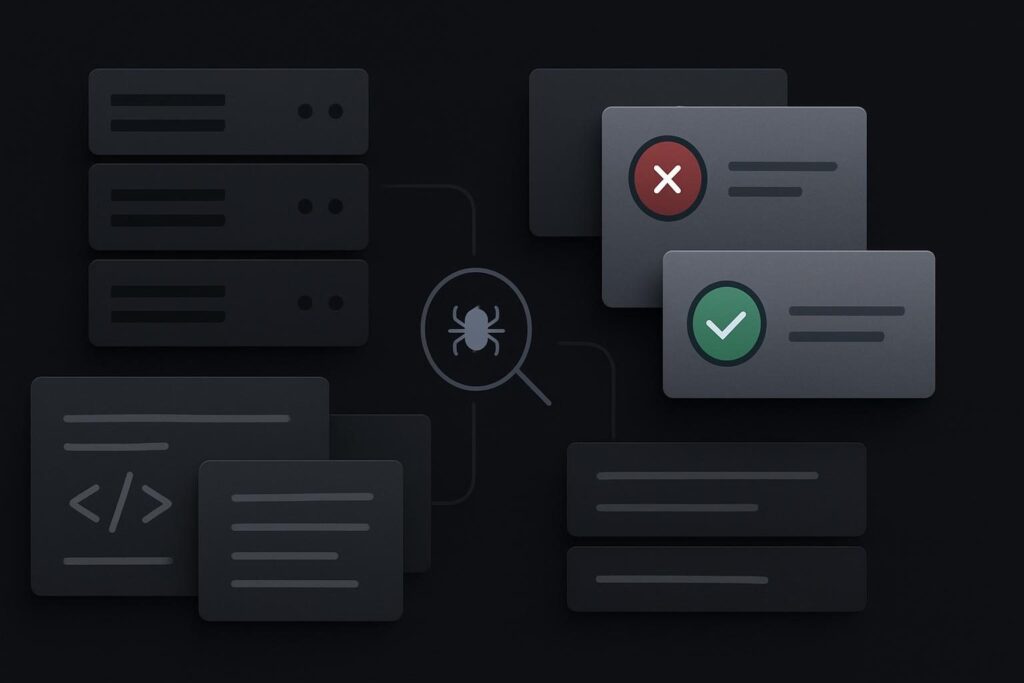
The important bit is that Google can encounter a noindex instruction in two places: in the page HTML as a meta robots tag, or in the HTTP response headers as an X-Robots-Tag header. Looking at one WordPress checkbox does not prove the public URL has stopped sending the other.
Start with the response Google can fetch
A WordPress noindex issue after launch means the live URL is still returning an instruction that tells crawlers not to include it in search results. Inspect both the public HTML and the HTTP headers, identify which system adds the rule, remove it only where production indexing is intended, then use URL Inspection to confirm the corrected response. Removing noindex does not guarantee indexing, but it removes a direct instruction against it.
Google’s own guidance on blocking indexing confirms that noindex can be delivered in either an HTML meta tag or an X-Robots-Tag HTTP response header. It also explains why the crawler must be able to access the page to see that instruction.
This is why a page editor setting is only one possible clue. A caching layer, host-level rule, security configuration, SEO plugin, must-use plugin or staging configuration can all alter what reaches the public internet. The browser response is the evidence. The dashboard is just one suspect.
Audit HTML and headers as separate jobs
Open the affected page in a private browser window and view the rendered source or page source. Search for noindex. Then inspect the response headers using a browser developer tool, a command-line request, or a reliable header checker. Do both checks against the exact canonical URL, including the correct protocol and preferred www or non-www version.
| Audit point | What to look for | Likely owner | Next action |
|---|---|---|---|
| Public HTML | meta name=’robots’ containing noindex | SEO plugin, theme, page setting or custom code | Review the page and global indexing settings |
| HTTP headers | X-Robots-Tag: noindex | Host, CDN, server rule or security layer | Find and amend the production rule |
| URL access | Blocked crawl request or login wall | robots.txt, firewall, CDN or access control | Allow the intended crawler route before validation |
| Search Console | Current live test differs from the reported exclusion | Historic crawl versus current response | Request reprocessing after the live check is clean |
A typical awkward example
A new WordPress service page has no noindex meta tag in its source. The SEO plugin settings look sensible. However, the server still returns X-Robots-Tag: noindex because the host copied a staging protection rule into the production virtual host. The page is technically live, but the header tells Google not to index it.
That sort of leftover configuration is especially easy to miss when the launch involved a staging copy, a temporary password, a CDN change and someone updating plugins during business hours. None of those things are automatically wrong. They simply create more places for an old instruction to linger.
Find who owns the rule before removing anything
Do not start switching off SEO settings at random. If the header is responsible, changing the page editor may achieve nothing and can create fresh confusion for the next person checking it.
- Record the affected URL, the exact Search Console exclusion and the date it was first noticed.
- Check the public HTML for a robots meta tag.
- Check HTTP response headers for X-Robots-Tag.
- Review WordPress Reading settings, the relevant SEO plugin, page-level controls and any custom snippets.
- Ask the host or developer to check CDN, server and staging-to-production rules if the header remains.
- Correct the rule at its source, clear only the caches relevant to that change, then test the public URL again.
If the broader launch process was loose, use this WordPress staging to live checklist to review the other handover items that can get missed alongside indexing instructions. It is better to check the deployment route properly than patch the visible symptom and hope the rest is sound.
Staging intent and production intent are different
Staging sites often should be protected from indexing. Production service pages generally should not be, assuming they are ready for customers and there is no deliberate business reason to keep them out of search.
The trap is treating a staging rule as a harmless technical leftover. A live page might carry the right copy, FAQs, contact route and internal links, while remaining absent when a potential client searches for the service. For a lead generation website, that is not merely an SEO tidying job. It affects whether the page can do the commercial work it was built for.
If the live response is clean but the page remains excluded later, it may be a different indexing problem rather than a noindex issue. The next useful diagnosis is why WordPress pages are crawled but currently not indexed, rather than repeatedly changing metadata that is already correct.
Do not use robots.txt as a substitute for noindex
Robots.txt controls crawl access, while noindex controls whether a crawler that can access the page should include it in search results. They solve different problems.
Blocking a URL in robots.txt can stop Google from crawling the page and therefore prevent it from seeing a noindex instruction in the HTML or header. That is why using both as a quick fix can leave you with less evidence, not more. For a public service page you want indexed, make sure it is crawlable and does not return noindex.
Validate the correction in URL Inspection
Once the responsible rule has been removed, use Search Console URL Inspection and run a live test. Confirm that Google can retrieve the page, that the live response no longer contains noindex, and that the page is not blocked from crawling. Then request indexing or reprocessing if the tool offers the option.
Do not read a request as an immediate indexing promise. Google still decides whether and when to process the page, and the outcome depends on the page, site condition and wider indexing signals. Your job at this stage is simpler: stop sending the wrong instruction.
Where the rule owner is unclear or the launch has exposed several faults, a focused website repair review in Dubai can be more sensible than letting three suppliers alter settings without a shared record of what changed.
Questions about noindex after a WordPress launch
Can a server header override WordPress page settings?
Yes. A WordPress page can be configured for indexing while the server or CDN adds X-Robots-Tag: noindex to the HTTP response. Google can receive that header independently of what the WordPress editor shows. Check both the HTML and the response headers before deciding the WordPress setting is at fault.
Why must Google be able to crawl a URL to see its noindex rule?
Noindex is an instruction delivered with the page response. If robots.txt or another access control prevents Google from fetching the URL, it may not be able to read the meta tag or X-Robots-Tag header. This is why blocking crawl access is not a reliable replacement for a properly delivered noindex instruction.
How long does indexing take after noindex is removed?
There is no fixed timetable. A live URL Inspection test can show whether the current response is accessible and free of noindex, but removal of the rule does not guarantee immediate inclusion in search results. Check the technical response first, then allow time for Google to reprocess the page.