
n8n 429 retries without replaying bad writes
Halfway through a fictional CRM sync, 180 contacts have been updated. Record 181 receives an HTTP 429 response from the external service. The tempting move is to hit retry on the whole workflow and get the backlog finished.
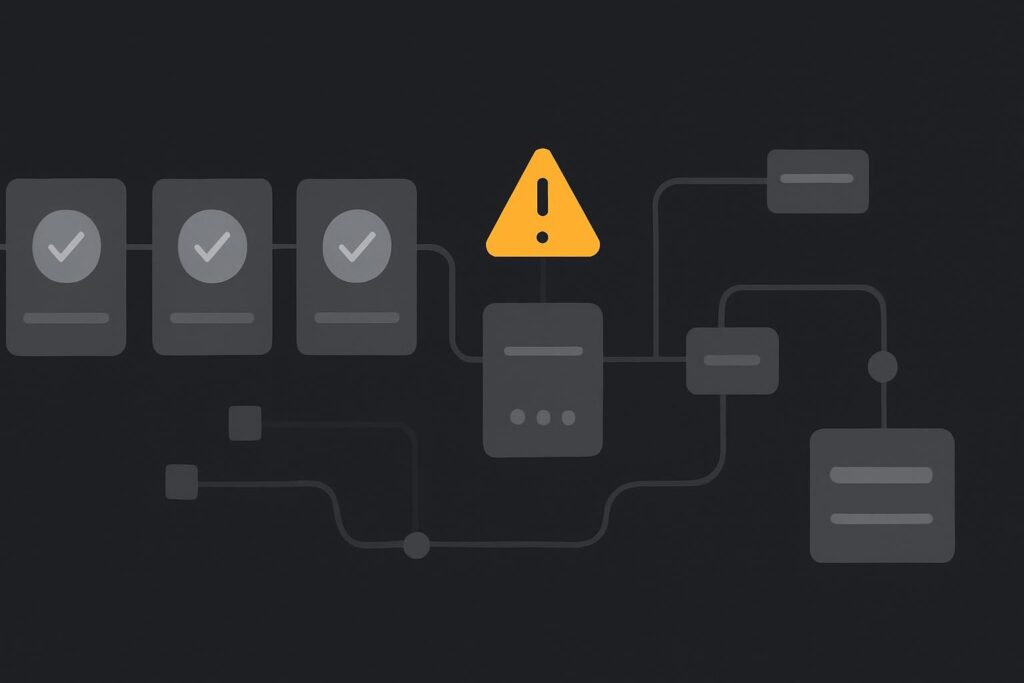
For a Dubai or UK business moving CRM updates, messages, bookings or invoices through n8n, that can turn one rate-limit problem into a tidy pile of duplicate external actions. The recovery boundary matters: which records were definitely committed, which definitely failed, and which are still uncertain?
Start with the response that stopped the batch
A 429 means the receiving service has refused more requests for now. It does not, by itself, tell you that n8n is broken, that every prior item failed, or that restarting the execution is safe.
Preserve the provider response before altering the workflow. Note the endpoint, time, response body and headers, especially any Retry-After guidance. Then read the provider’s own quota and retry documentation. The provider, rather than n8n, defines the limit that applies to that API route and account.
n8n’s rate-limit guidance documents approaches including Retry On Fail and batching with pauses. Those features help pace requests, but they do not decide whether a repeated create, send or update is safe. That is a workflow design decision.
Choose recovery based on record state, not frustration
Safe n8n 429 rate-limit retries mean slowing the workload according to the provider’s documented limit, retaining per-record completion state, and retrying only records whose outcome is known or can be checked without causing another write. A whole-workflow replay is suitable only where each action is genuinely idempotent or the workflow can prove the previous attempt did not commit.
There are three useful buckets after a partial batch:
| Record state | Recovery choice | Why it matters |
|---|---|---|
| Confirmed complete | Exclude from replay | It has already produced the intended external result. |
| Confirmed failed before processing | Retry within the new pace | The provider has clearly refused the request. |
| Outcome uncertain | Check externally before writing again | A timeout or lost response may hide a successful write. |
The awkward middle category is where trouble lives. A request can leave n8n, reach the provider and succeed, while the response fails to return cleanly. Retrying a create action because the execution looks untidy may create a second CRM contact, message or invoice.
Set the pace before restarting anything
First calculate the conservative batch size and pause from the provider’s published allowance. Leave some headroom for other systems, staff activity, scheduled jobs or another workflow using the same account. A quota that looks generous on paper can disappear quickly when three automations share it.
In the installed version of n8n you are running, use the available retry and batching controls rather than copying settings from an old tutorial. Retry On Fail can be appropriate for a known transient refusal. Batching with a pause is often the better answer for a backlog, because it reduces the chance of immediately hitting the same threshold again.
Keep retries bounded. A finite retry count, a pause that reflects the provider guidance, and an escalation route are more useful than an endless loop quietly battering an already overloaded API.
Use a completion register the workflow can trust
For a bulk CRM sync, retain a record-level identifier and status outside the transient execution view. This could be a source record ID, an external object ID after creation, a last-synchronised marker, or a dedicated completion log. The exact storage depends on the system, but the principle stays the same: do not rely on memory and a green tick in one execution screen.
A boring but useful detail is to record the external ID as soon as the provider returns it. If an overnight execution is later pruned, or someone clears old n8n runs while tidying disk space, that ID may be the difference between a controlled recovery and a manual reconciliation exercise.
Where a provider supports an idempotency key or an upsert by a stable external identifier, use it deliberately. Where it does not, add a lookup or reconciliation check before repeating a create action. This is adjacent to the wider problem of preventing duplicate invoice execution in n8n, but a 429 incident begins with workload pacing and partial completion rather than a generic duplicate-trigger fault.
A bulk CRM sync, recovered carefully
Take the fictional CRM sync again. Records 1 to 180 show a returned external ID and completion timestamp. Records 181 to 200 received 429 responses before a successful API response. Records 201 onwards were never attempted.
- Keep records 1 to 180 out of the recovery batch.
- Check whether records 181 to 200 exist in the external CRM using their stable source identifier.
- Mark any found records as complete rather than recreating them.
- Retry only confirmed missing records, in smaller batches with a pause based on the provider’s guidance.
- Run a non-destructive sample first, such as a small update to a test segment or a lookup-only pass.
That is slower than pressing execute again. It is also easier to explain when sales asks why two welcome messages were sent or finance finds duplicate invoice drafts.
Prove the recovery with a small harmless sample
Do not test the new pacing by releasing the entire backlog. Start with a small sample that can be checked without creating fresh external actions. Confirm the interval between requests, the handling of 429 responses, the saved completion state and the result in the receiving system.
Then release the remaining work in bounded batches. Make sure somebody owns a failed recovery alert rather than leaving it as another execution log for a person to discover next Tuesday. A clear n8n workflow failure alert with an assigned owner is far more useful than a noisy notification nobody acts on.
When the workflow needs more than a quick patch
If the automation mixes CRM writes, invoice creation, customer messages and several providers, rate-limit handling deserves proper design rather than a few emergency delay nodes. That is especially true before handing a workflow to a team who will assume a retry button is harmless.
For broader help with integration design, operational safeguards and reliable handover, see our business automation services. Pace the requests and know what has already been committed.
If a live backlog has stopped at a 429, request a rate-limit recovery review with the provider response and a redacted completed-record sample.