
n8n duplicate invoice execution: safe retries
Two invoice IDs appear against one order. Nobody can find a second click, a second payment or a member of staff trying to be helpful. The n8n execution history shows a timeout, followed by a retry. For a service business in Dubai, the UAE or the UK, that is enough to turn a small automation wobble into an awkward customer conversation.
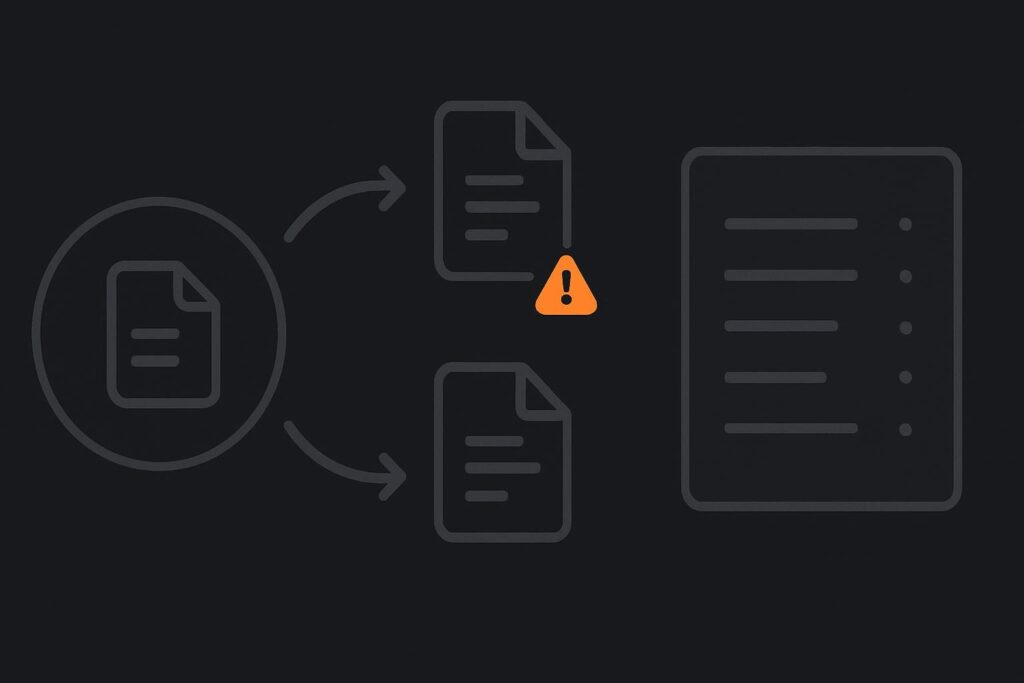
The tempting conclusion is that the timed-out request failed. It might have done. It might also have reached the invoice service, created the invoice, then lost the response somewhere between that service and n8n. Retrying without checking is how one event becomes two records.
This is a business automation issue rather than a mere n8n setting. Invoice references can reach finance, customers, payment links and reporting quickly. It is worth understanding the wider business automation work involved in reliable handoffs before treating a retry button as an answer.
What duplicate n8n invoice execution actually means
n8n duplicate workflow execution happens when the same business event is processed more than once, often because a webhook is delivered again, a trigger is retried, or a timeout leaves the first attempt uncertain. Idempotency is the safeguard that makes repeated processing safe: the workflow should recognise the event has already created an invoice and return the existing result rather than creating another one.
The important distinction is between a duplicate execution and a duplicate external action. Two executions are not automatically a problem. A second execution that creates a second customer-facing invoice usually is.
Pull apart the timeout before changing the workflow
Take one real incident and preserve the evidence before someone voids records, reruns the workflow or changes nodes in production. You need the timestamps, payload, source event ID, n8n execution IDs, request body and any response or error details available from the invoice platform.
A useful operational detail is to check the target system’s creation timestamp in its own timezone as well as n8n’s server timestamp. A few minutes of offset, daylight saving settings or a connector displaying local time can make a successful first request look as though it happened after the retry.
Consider a WooCommerce order passed into n8n after payment. n8n sends a create-invoice request. The invoice service accepts it and assigns invoice ID 4812, but the network connection drops before n8n receives the response. n8n marks the action as timed out. A retry sends the same order again and creates invoice ID 4813. The workflow did not necessarily malfunction at the first request. It made a reasonable retry without enough evidence to make that retry safe.
Find the event key before you add more nodes
The first question is simple: what makes this invoice event unique? It should be a stable identifier from the originating system, not an execution ID generated by n8n. Depending on the route, that may be an order ID, payment reference, approved job number or a combination such as order ID plus invoice type.
Do not use a customer email address, invoice date or cart total as the unique key. Those are business details, not reliable event identities. A customer can place similar orders, pay the same amount twice or need a deposit invoice and a final invoice.
Use one key consistently
- Put the source event key in the outbound request where the invoice service supports an idempotency or external-reference field.
- Store the same key alongside the resulting invoice ID in a durable record.
- Make sure a manual rerun uses the original source key rather than creating a fresh one.
- Record the invoice type where one order can legitimately produce more than one invoice.
If the invoice platform supports idempotency keys, use its documented mechanism rather than assuming a custom field behaves the same way. If it does not, create your own small registry in a suitable database, data store or source system with enough protection against simultaneous requests.
The check belongs immediately before create
Many workflows check whether an invoice exists near the start, fetch order data, format line items, send notifications, then create the invoice several steps later. That leaves a gap. Another execution can arrive while the first one is still working, and both can pass the early check.
Put the check-before-create point as close as possible to the external invoice action. The sequence should be: identify the event key, look up an existing invoice or reservation, create only if none exists, then save the confirmed invoice ID and status.
For higher-risk routes, add a short-lived lock or reservation before the create call. This is not glamorous work, but it stops two parallel runs from both deciding they are first. The exact approach depends on the systems involved and whether the storage layer can handle an atomic create or unique constraint.
Retries need a policy, not a shrug
A retry is sensible for some failures. It is not sensible to retry every unknown result as if nothing happened. Separate failures where no request was sent from failures where the target may have accepted it.
- Clear validation error: do not retry automatically. Fix the payload or source data.
- Authentication error: pause and investigate credentials, permissions or a changed connection.
- Rate limit response: retry carefully with delay, respecting the provider’s guidance.
- Network timeout or dropped connection: reconcile first by searching for the unique event key. Only create if no matching invoice is found.
- Unknown response after create: mark the event as pending review if the target cannot be queried reliably.
This is one reason it helps to scope automation before switching it on. The small business automation scope before switch-on should identify uncertain outcomes, exception owners and the point at which a person needs to decide rather than letting the workflow guess.
Keep a reconciliation record that a human can read
An execution log alone is not a reconciliation record. n8n may tell you a node failed, but finance or operations still need to know whether an invoice exists, which one is valid and what happened to the source event.
Keep a compact record containing the source event key, n8n execution ID, target invoice ID, request timestamp, confirmed status, retry count and any manual decision. It can sit in the source platform, a database or another controlled operational record. The location matters less than the fact it can be searched when someone asks why an order has two invoices.
Where an automation crosses systems, the handoff deserves its own inspection. A business process automation audit of handoffs can expose where status, ownership and confirmation disappear between the trigger and the external action.
n8n duplicate execution and idempotency diagnostic checklist
- Choose one affected order or source event and preserve its IDs, times and payload.
- Confirm whether the target invoice platform received the first request before the timeout.
- Define the stable source event key and any legitimate invoice variants.
- Check whether that key is passed to the invoice system and retained after creation.
- Move the duplicate lookup to immediately before the create-invoice step.
- Test two near-simultaneous executions with a non-production customer or controlled test route.
- Separate safe retry responses from uncertain outcomes in the workflow.
- Give pending or ambiguous cases an owner and a visible reconciliation record.
- Only retest production after you can explain what the first execution did.
What the evidence cannot tell you on its own
A timeout does not prove that an invoice was created, and a duplicate invoice does not prove n8n alone caused it. The invoice platform, a separate integration, a manual action or an upstream webhook can all be involved. Logs also expire, payloads can be incomplete and some third-party systems offer limited lookup options.
The aim is not to build a heroic automation that never needs attention. It is to make a repeated event safe, make uncertain outcomes visible and leave a trail that lets a person resolve the awkward cases without guessing.
Ask Standish Services to trace the problem and scope a practical fix.