
n8n stops with no output? Find the zero-item node
Illustrative execution result: Customer Lookup was the final node that actually ran. Output: 0 items. The execution is green, the workflow shows as complete, and the exception notification you expected never appears.
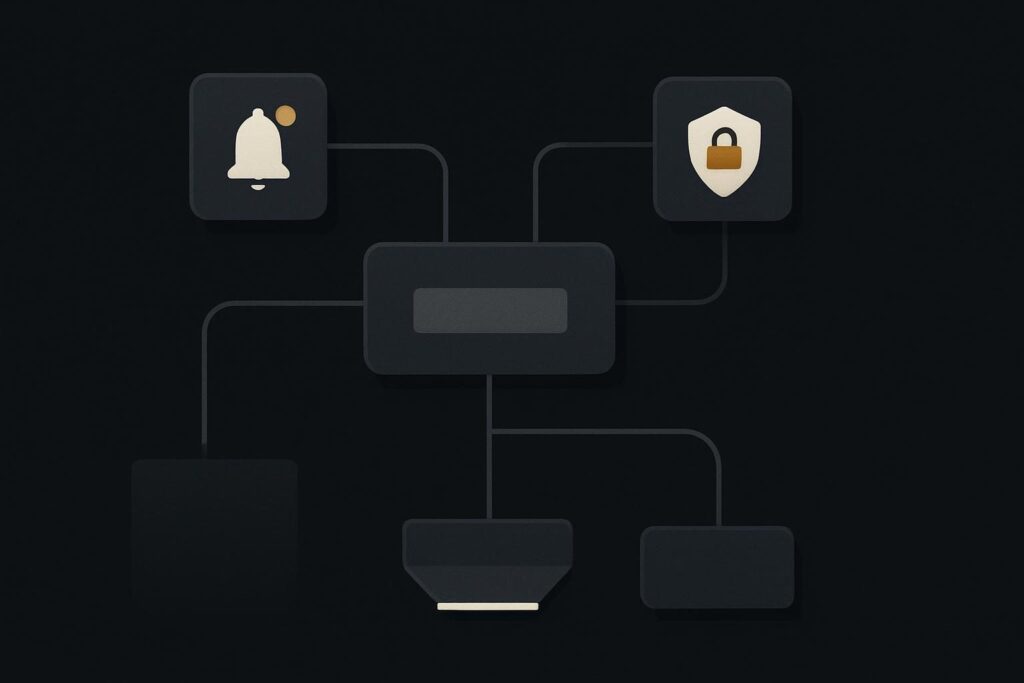
That catches out plenty of otherwise sensible onboarding workflows. A Dubai consultancy, Liverpool agency or UK service business may assume a completed n8n execution means every later action happened. It does not. If a node returns no items, there may be nothing for the next node to process.
The first job is not to add retries, rebuild the workflow or blame the notification connection. Find the first node whose item count fell to zero, then decide what the business process should do when that result is empty.
A green execution can still end early
n8n processes items through a workflow. When a lookup finds one matching customer, it passes an item forward. When it finds none, the next node often receives nothing at all. No item means no downstream processing, even where the workflow itself has not thrown an error.
This is why an n8n workflow can stop with no output items and no visible fault. The automation did what its control flow allowed. It simply did not have a record to carry into the later route.
For business automation, that distinction matters. A missing customer lookup can silently skip a follow-up, leave a CRM onboarding record incomplete, or fail to tell an account owner that somebody needs to investigate. Treat no match as a designed business state rather than an accidental end of the workflow.
Locate the first empty result, not the missing final action
Start from the last node that has a visible item count, then move backwards until you find the first zero. Do this in the execution data rather than by reading the canvas and guessing. A neat workflow diagram can hide a fairly obvious empty branch.
In an illustrative client onboarding flow, a form submission creates a lead, a lookup searches the CRM by email address, and a later node is meant to notify operations if no customer record exists. The lookup returns zero items. Because the notification sits after that lookup on the same route, it never receives an item and never runs.
The real fault is not the notification node. The workflow has not been told what no matching customer means.
If the expected action is an alert after an actual technical failure, that is a different concern. A workflow that errors and nobody owns the alert needs its own route, covered in this guide to sending n8n workflow failure alerts to an owner rather than a log. A zero-item lookup is not automatically an error, so error handling alone will not cover it.
Write down the no-match decision before changing settings
Ask one plain question: what should happen when a customer lookup returns no record? There is no universal answer, but there should be an explicit one.
- Create a new prospect record, if the source is authorised to create one.
- Send an exception notification to the person who can check the data.
- Hold the submission for review, with enough context to investigate it.
- End the route deliberately, where no match is an accepted outcome.
For example, an onboarding form may contain a mistyped email address or a contact using a different work address from the one held in the CRM. Automatically creating a customer from that result could create duplicate or bad records. An operations alert may be the safer path.
This is one reason a proper client onboarding automation route needs ownership rules as well as node connections. The workflow should know who receives the awkward cases, not merely process the tidy ones.
Use a branch when the business outcome changes
The cleanest pattern is usually to branch immediately after the lookup or to use an explicit check on the returned data. One route handles valid matches. The other handles no match. Give both routes a deliberate ending.
Do not bury the no-match decision inside an expression several nodes later. By then, someone will eventually be trying to work out why an empty customer ID reached a CRM write, email send or document-generation step. Nobody needs that on a Friday afternoon.
Always Output Data is not a customer record
n8n documents Always Output Data in its node settings guidance as returning an empty item when a node produces no output. Its documentation also warns about its use on IF nodes. That behaviour can be useful where a downstream route needs to continue, but an empty item is not evidence that a valid customer was found.
Use it only when the downstream node is built to interpret an empty item safely. For instance, a notification route may use it to send an exception message containing the original submission details. A customer update route should not treat it as permission to write blank values or create an incomplete record.
Put a guard in front of downstream writes
Before any node creates, updates or sends something significant, validate the fields that make the action safe. The exact fields depend on the workflow, but common checks include a confirmed record ID, a non-empty email address, a recognised status and a source reference.
Keep the guard close to the write. Data can disappear or change shape after a Merge node, a Set node, or a mapped expression that quietly resolves to nothing. In practical terms, a successful earlier lookup is not a lifetime guarantee that the payload is still usable.
For workflows that support enquiries, onboarding and internal operations, this is part of making business automation delivery dependable enough for day-to-day use. The aim is not more nodes for the sake of it. It is clear ownership of ordinary exceptions.
Test the three result counts deliberately
Once the route is designed, test the lookup with controlled records. Use a non-production destination or a harmless notification recipient where possible. You are proving behaviour, not generating a fresh pile of cleanup work in the CRM.
- Zero matches: confirm the exception route runs, no customer write occurs, and the right owner receives enough context to act.
- One match: confirm the normal route uses the correct customer ID and completes the intended downstream action.
- Multiple matches: decide whether the workflow should select one record, halt for review or flag a data-quality problem.
Multiple matches are worth including. A lookup that returns more than one record may be as commercially awkward as no match, particularly where duplicate contacts have accumulated over time. A workflow should not quietly choose whichever record happens to arrive first unless that rule is genuinely acceptable.
The evidence worth sharing when the route needs work
For escalation, the useful evidence is a redacted execution path showing node names, item counts, the relevant input and output shapes, and the intended business outcome for zero, one and multiple matches. Leave out customer names, email addresses, tokens and anything else that should not be passed around in screenshots.
Share a redacted execution path with item counts so the missing no-match route can be designed.