
WooCommerce invoice notes by country without the mess
Picture two otherwise identical invoices leaving a WooCommerce store. One needs an approved delivery instruction because the destination country requires it operationally. The other does not. The wording is agreed, the order process is normal, and nobody wants it plastered across every PDF invoice for customers in Dubai, the UAE, the UK or anywhere else.
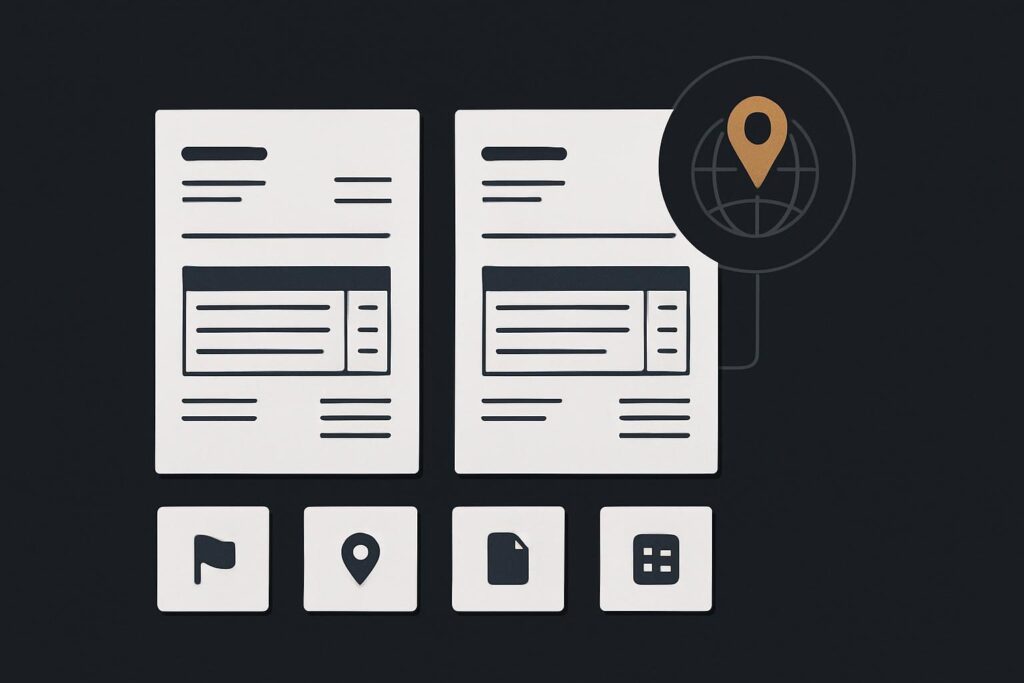
It sounds like a small document tweak. It often is, provided you first establish which document is being changed, which country field controls the rule, and which invoice extension actually produces the PDF. Skip those decisions and it becomes a familiar bit of WordPress archaeology.
Start by naming the document that needs the note
WooCommerce itself can hold several things people casually call an invoice note. A checkout order note, a customer note, an internal order note, an email instruction and a PDF invoice field may all be separate. They can be stored in different places and rendered by different components.
Define the output before touching a setting or asking for a code change:
- Is it the PDF invoice, packing slip, credit note or order email?
- Should the wording appear before payment, after payment, or only when an invoice is generated?
- Is the note for the customer, warehouse team or accounts team?
- Should existing issued documents remain exactly as they are?
A checkout order note is not automatically the PDF invoice note. Treating them as the same field is how a warehouse instruction ends up in customer-facing paperwork, or a customer message fails to appear where accounts expected it.
WooCommerce’s own PDF Invoices extension documentation describes customisable templates and the ability to add or remove fields. That is useful evidence for stores using that particular extension. It does not mean every PDF invoice plugin has the same template controls, menu locations or supported hooks.
Choose the country source before writing the rule
The important decision is whether billing country or shipping country controls the note. Neither is universally right. It depends on why the wording exists.
Use billing country when the statement relates to the invoiced party, their registered address, or the information accounts needs to show against that customer record. Use shipping country when the note concerns delivery, import handling, a receiving location or an agreed instruction for goods arriving in a particular place.
For an illustrative example, an operations team sells physical equipment and wants an approved delivery instruction on PDF invoices sent to one destination. The instruction is about where the goods are going, not how tax is calculated. Shipping country is the sensible control field. That decision should be written down before anyone changes a template.
Keep the document rule separate from tax behaviour. If the same address is also affecting tax, that needs its own evidence trail. Trace why WooCommerce tax changes after a customer enters an address rather than trying to solve both problems in one invoice edit.
The decision table worth agreeing internally
| Decision | Choose this when | What to record |
|---|---|---|
| Document type | The business knows where the wording must appear | PDF invoice, packing slip, credit note or email |
| Country field | The wording relates to the payer or delivery destination | Billing country or shipping country |
| Match condition | The rule applies to an agreed location | Country code and whether multiple codes apply |
| Note source | The wording may change by order or remain fixed | Fixed template text, order meta or approved field |
| Historical handling | Older documents may already have been issued | Whether prior PDFs must remain untouched |
A country code is normally a two-letter WooCommerce country value, but do not guess it from the country name in a spreadsheet. Confirm what the installed extension receives and compares. One stray variation in custom order data can make a perfectly reasonable condition appear broken.
Find the extension that owns the PDF
Before editing a template, identify the extension that generated the actual document. Look at the plugin list, the invoice settings screen, the PDF filename pattern and a recent order. Stores sometimes have an old invoice plugin still active after a redesign, or a separate fulfilment tool producing packing documents alongside WooCommerce emails.
The supported route may be a template override, a documented filter, a settings field, or a small custom addition maintained outside the plugin. Use the route offered by that extension where possible. Editing plugin files directly is a poor bargain because the next update can quietly remove the change during business hours.
If invoices are appearing against draft orders or at an unexpected point in the lifecycle, settle that question first. Trace why a WooCommerce invoice was created for a draft order before adding country conditions to a document trigger that has not been understood.
Express one narrow inclusion rule
The rule should be boringly precise: show this approved note on this document when this country field equals this agreed country code. Avoid making the first version cleverer than the business requirement.
Decide what happens when the country is absent, such as a staff-created order with incomplete addresses. In most cases, the safe behaviour is to omit the conditional note and flag the incomplete order for review, rather than printing wording based on a blank value or a default country.
Also agree whether a customer can change the shipping address after payment. The invoice should be generated from the order data and event you have chosen, not from a later assumption about where an item ended up.
Test the order matrix, not one convenient order
Run controlled test orders on staging where possible, with outbound emails contained and a restore point available. Generate the same document through the real extension rather than relying on a preview that uses different sample data.
- Create a matching-country order with complete billing and shipping details.
- Create a non-matching-country order with otherwise similar products and order status.
- Create an order with the controlling country field missing or incomplete, if the store allows that state.
- Check the PDF, any attached email version and any downstream fulfilment document separately.
- Confirm that a historic order still renders as expected and has not acquired new wording by accident.
This is where a dull detail matters. A PDF can be cached by the invoice extension or regenerated from the current template when viewed again. Record whether issued files are stored as historical artefacts or rebuilt on demand. Otherwise, a harmless template update can alter the appearance of an old document when somebody re-downloads it months later.
Keep issued documents out of a casual tidy-up
Do not use a new country rule as an excuse to rewrite documents already sent to customers. Preserve historical invoices unless there is a separately approved reason and process to change them. This article is about controlled document presentation, not tax advice or retroactive invoice correction.
When the installed extension, template ownership or document history is unclear, it may be part of a wider WooCommerce repair job rather than a five-minute settings task. Website repair support for WooCommerce issues can help establish the safe change boundary before a live template is altered.
Bring the invoice extension and approved country rule for a scoped document customisation. Include one matching order example, one non-matching example and the exact document that needs the wording. It saves a fair bit of pointless back-and-forth.