
n8n drops leading zeros from customer IDs
Is 001274 the same customer ID as 1274? A database may say no. A CRM lookup may fail. Worse, a loosely configured lookup may find a different record and carry on as though nothing happened.
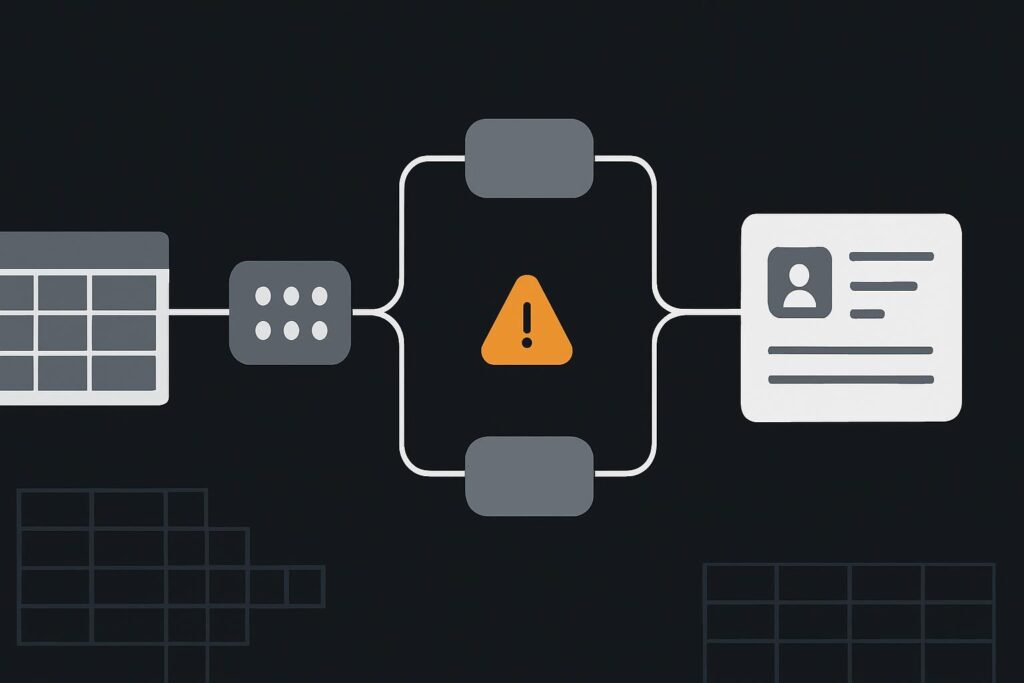
That is the awkward bit with an n8n sync that reports success. The workflow has moved data, but it may no longer be moving the same data. For service businesses in Dubai, the UAE, Liverpool or the UK, that can mean activity, documents or onboarding steps landing against the wrong account.
Follow the raw value before changing the workflow
Customer and account identifiers should be handled as strings in n8n, even when they contain only digits. Find the first node where the value changes, compare the source and destination data types, map the field explicitly as text, and test that the original value survives a complete trip through the workflow. If the input has already lost digits, reject it for review rather than guessing what used to be there.
An illustrative route might start with an intake sheet containing account 001274. A later mapping step treats it as a number, producing 1274. The CRM lookup then searches for 1274. If no record exists, the run may fail visibly. If one does exist, the run can look perfectly healthy while attaching the work to somebody else. That is a much nastier failure mode.
The first useful job is not rebuilding the workflow or adding zeroes back in at the end. It is taking one known identifier and following it node by node.
- Record the source value exactly as received, including leading zeroes and any letters, hyphens or spaces that are meaningful.
- Inspect the output of each node until the value first differs.
- Check whether the source field, expression, mapped field and destination field are each being treated as text or a number.
- Correct the earliest boundary that changes the identifier.
- Run controlled tests that compare the original value with the value stored or searched at the far end.
n8n’s Edit Fields documentation confirms that the node can set or overwrite workflow data and supports explicit field mapping. Useful, obviously, but it also means an Edit Fields node is a sensible place to inspect when an identifier has quietly changed shape.
For wider help designing dependable data flows rather than merely patching one mapping, business automation delivery support can help establish ownership, validation and sensible handover checks around the workflow.
Where leading zeroes usually disappear
The value may arrive damaged before n8n sees it. Spreadsheet software is a common offender because a column formatted as a number can display or transmit 1274 where the operator originally entered 001274. The same issue can appear in an API response, a form integration, a Code node, an expression, an Edit Fields mapping or the destination system’s own field configuration.
Do not assume the visible spreadsheet cell proves the stored type. Open the source configuration and check the actual field value delivered to n8n. A tidy-looking sheet maintained by three people is often where the trouble begins, especially after someone pastes a fresh batch from an export.
| Boundary to inspect | What can go wrong | Useful check |
|---|---|---|
| Intake sheet or form | A numeric column strips a prefix before the workflow starts | Compare the entered value with the execution input |
| Edit Fields mapping | An overwrite or expression changes the field type | Inspect input and output side by side |
| HTTP or app node | The request body serialises an identifier as a number | Check the sent field and the receiving API contract |
| CRM lookup | The search field expects text but receives a numeric value | Confirm the exact lookup value and field definition |
| Destination record | The system stores a reformatted version | Read back the saved value after the write |
Correct the mapping boundary, not the final symptom
Keep the identifier as a string from the earliest authoritative source through every mapping and lookup. Give it a clear field name such as customerId or accountReference, then avoid using it in arithmetic, sorting rules that coerce values, or casual conversion expressions.
Do not prescribe padding as a repair by default. Adding two zeroes to 1274 may recreate 001274, or it may create a completely different customer ID. Unless there is an authoritative identifier format and a trustworthy original record, missing digits are missing evidence.
There is a separate n8n problem where the identifier is intact but the workflow selects data from the wrong item in a multi-item run. If the value itself has not changed, use the diagnostic route for n8n workflows linking the wrong customer data item. Mixing the two problems tends to produce a very busy workflow and very little confidence.
Test the values that expose a bad assumption
One friendly numeric sample is not enough. Use a controlled test set before enabling writes or changing live records.
- A zero-prefixed numeric ID such as 001274.
- A longer value that should never be treated as a quantity.
- An alphanumeric identifier such as AC-001274.
- A value with an approved internal separator, if your source system permits one.
- An intentionally damaged input such as 1274, where the original length is unknown.
For each one, compare the source value, the value at the first mapping node, the lookup request and the destination result. A proper test is an exact round trip, not merely a successful execution badge.
This matters particularly in workflows that trigger onboarding, emails or document requests. An onboarding route should pause when identity is uncertain, rather than politely sending someone else’s next step. The same principle applies to client onboarding automation that avoids a cold, automated handover: the process needs a reliable record before it starts acting on behalf of the business.
Decide what happens when the input is already damaged
Set a clear rejection route for values that cannot be verified. That might mean stopping the item, placing it in a review queue, notifying the data owner, or recording the source row for correction. The right choice depends on the process, but silent reconstruction is rarely a sound one.
A useful rule is simple: arithmetic rules do not define customer identity. A value made of digits can still be a label, and labels need preserving exactly.
Can padding a damaged value silently create a different customer ID?
Yes. If 1274 arrives without its original format, adding leading zeroes assumes a fixed length and a known convention. That may produce 001274, but it may also point to a different valid record or conceal a source-data failure. Only reconstruct a value when an authoritative system defines the format and provides enough evidence to verify the result. Otherwise, reject it for review.
If a sync has started treating account references as numbers, share a redacted identifier before and after the sync for a data-mapping review. One before-and-after example is usually more useful than ten screenshots of green execution ticks.