
When WordPress hreflang names the wrong page
The language switcher works. English visitors can reach Arabic pages, Arabic visitors can get back to English, and the menu looks tidy enough. Then the rendered page head says something else entirely: the Arabic service page names the English homepage as its alternate.
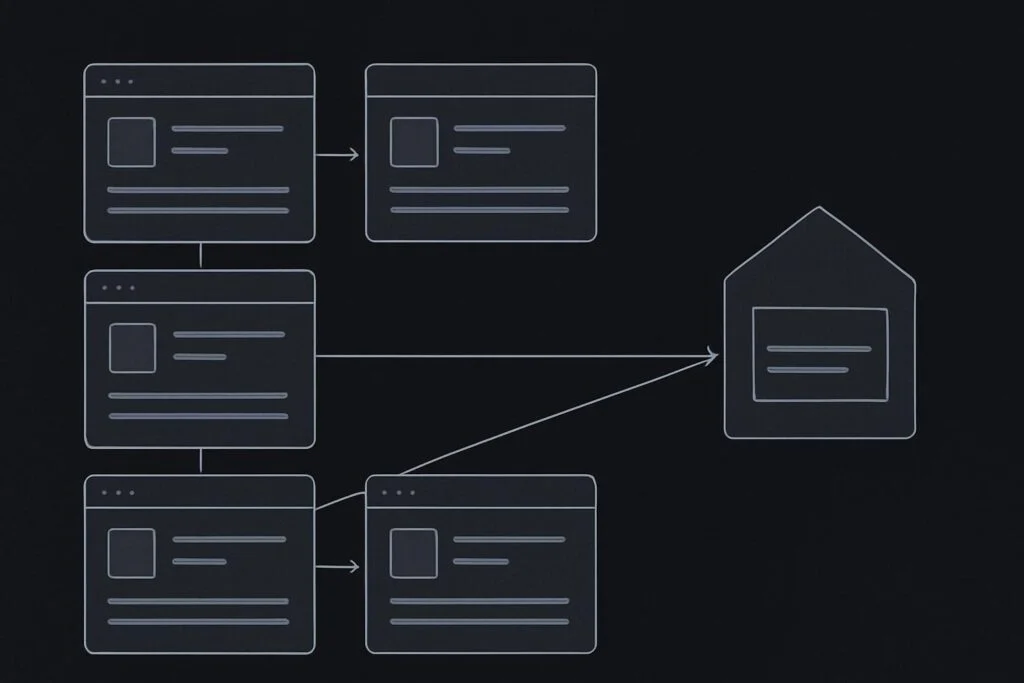
That is a WordPress hreflang wrong language URL audit job, not a menu tidy-up. For service businesses in Dubai, the UAE, the UK or Liverpool, it can leave translated service pages sending muddled signals about which pages are meant to be equivalents. The visitor may never notice. Search systems still might.
Start with one page pair, not the whole site
Choose a page where the intended relationship is obvious. A good candidate is an English service page and its Arabic version, rather than a blog archive, contact page or a page with no genuine translation.
Illustrative example: an English page about website maintenance has an Arabic equivalent. The language switcher moves correctly between them. Yet the Arabic page’s hreflang annotation points to the English homepage, perhaps because a multilingual plugin inherited an old translation mapping during launch.
Visible navigation and search language annotations need separate verification. One proves that a person can use the site menu. The other is a machine-readable declaration about equivalent versions. They are related, but they are not the same test.
Google’s localized versions guidance specifies fully qualified alternate URLs, self-references and reciprocal language references. It also makes an important point that catches people out: hreflang does not determine or detect the language of a page. It is an annotation, not a translation tool or language detector.
What a correct hreflang group should show
A sound group describes the same page across the available language or regional versions. Each member should identify itself and the intended equivalents. If one page is missing, obsolete or redirected somewhere unrelated, fix the source relationship rather than hoping a cache clear will sort it. It won’t.
| Audit check | What to inspect | What a concern looks like |
|---|---|---|
| Equivalent page mapping | English service page against the matching Arabic service page | Arabic page is associated with the English homepage or another service |
| Self-reference | Each page’s own hreflang URL | The page names an old slug, staging address or different route |
| Reciprocal reference | Both pages’ rendered annotations | English points to Arabic, but Arabic does not point back to English |
| Full URL format | Protocol, hostname and path in every alternate URL | Relative paths, mixed www versions or an outdated domain appear |
| Destination behaviour | What happens when each alternate URL is requested | The URL redirects to the homepage, errors, or lands on unrelated content |
Inspect the rendered output in both directions
Do not rely solely on the multilingual plugin screen. Inspect the page source or rendered head output for the selected English page, then do exactly the same for its Arabic equivalent. You are checking what the public page actually emits, after theme logic, SEO tooling, caching layers and plugin settings have had their say.
- Write down the intended English URL and Arabic URL for one equivalent page pair.
- Open the English page and record every alternate annotation in the rendered head.
- Confirm it includes a self-reference and the correct Arabic destination.
- Open the Arabic page and repeat the check.
- Confirm it includes its own self-reference and a return reference to the exact English service URL.
- Request each referenced URL in a normal browser session and confirm the final destination remains the intended page.
A boring but worthwhile detail: check the final destination after any redirect, not merely the URL first written in the annotation. An old Arabic slug can still exist in a plugin mapping while redirecting to the homepage through a server rule added during a previous migration. The markup may look populated. The relationship is still wrong.
Correct the generator, not just the visible symptom
If the wrong URL appears in hreflang, find what generates it. Depending on the build, that may be the multilingual plugin’s translation connection, an SEO plugin integration, a custom template function or manually inserted head markup. Editing one rendered tag without correcting the underlying relationship is a decent way to create the same fault on the next update.
Check whether the page has been duplicated, reassigned, deleted and recreated, or moved to a new slug. These are ordinary launch actions, especially when Arabic copy arrives late or a service structure changes. They can leave an otherwise healthy-looking WordPress site with an obsolete translation pairing.
If the issue sits beside conflicting canonical signals, keep that investigation separate. Reviewing a WordPress canonical URL that points elsewhere can help establish whether you have two distinct annotation faults, rather than treating every search-related tag as one blob.
Where the multilingual setup is unclear, the wider job may need a scoped WordPress website repair review. The aim is to establish ownership of the output before altering production settings, especially on a lead generation website with active campaigns or referral traffic.
Then verify a second pair and the launch route
Once the first pair is corrected, audit a second page type. For example, check an English contact page and Arabic contact page, or another service pair with a different URL depth. This helps expose a site-wide generator problem rather than a single bad record.
Hreflang checks belong alongside route testing, not in isolation. A language annotation can be technically reciprocal while the destination page has a broken form, missing mobile content or a redirect loop. For a practical wider check around Arabic routes, use this Arabic WordPress launch route test as the boundary between annotation accuracy and the visitor journey itself.
FAQ: Must each language version point back to its equivalent page?
Yes, where you are declaring equivalent localized versions. Each page should include a self-reference and reciprocal references to the corresponding versions in the group. If the English service page points to an Arabic version, the Arabic version should point back to that same English service page, assuming both are intended equivalents. Do not substitute the homepage merely because it is available in both languages.
Keep the evidence with the launch record
Record the tested page pair, the intended URLs, the rendered annotations and the destination result. It is not glamorous, but it gives the next developer, SEO provider or agency something concrete to review rather than a vague report that multilingual SEO seems off.
Include reciprocal language-reference checks in your multilingual launch review. It is a small, focused check that can prevent English and Arabic service pages from being paired with the wrong routes after launch changes.