
WooCommerce pending payment in Dubai: don’t guess
A Dubai store owner opens WooCommerce and sees a queue of orders marked Pending payment. It is easy to assume checkout has packed in, the gateway is broken, or customers have been charged without receiving confirmation. Sometimes that is the problem. Quite often, though, a customer simply reached checkout, got distracted, failed authentication or abandoned the payment screen.
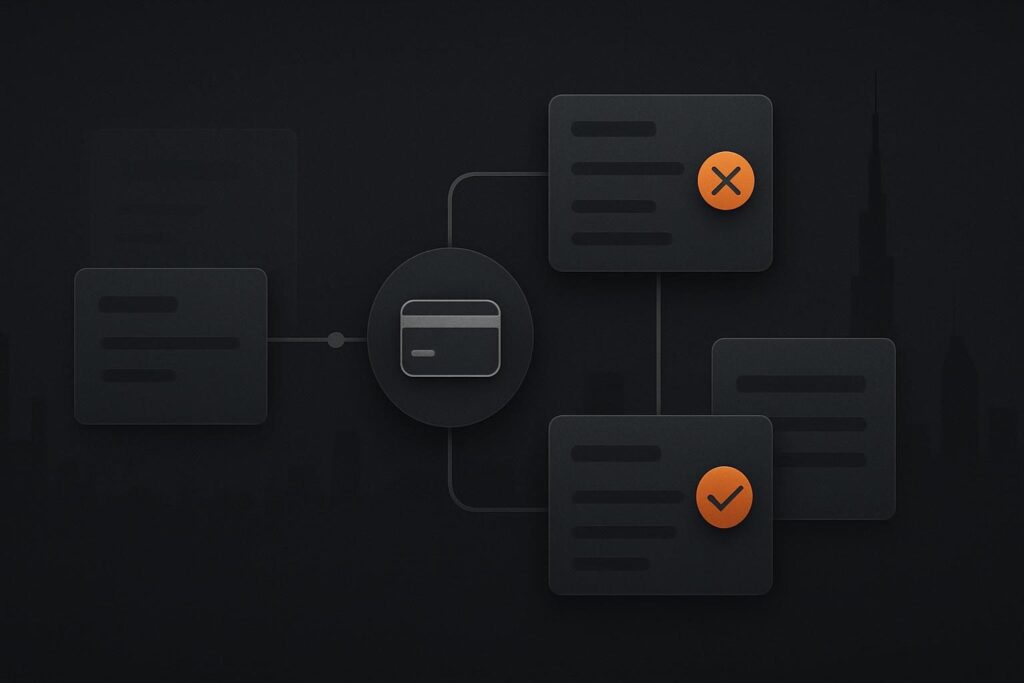
The status is worth checking, but it is not a verdict. The first useful question is much less dramatic: does each order have a matching successful transaction in the payment provider dashboard?
What Pending payment actually tells you
WooCommerce describes Pending payment as an order received where payment has not yet been confirmed. Its guidance also notes that gateways should normally update the order after payment, making the payment method, order notes, gateway records and webhook delivery sensible places to check if an order remains unresolved. See the relevant WooCommerce order troubleshooting guidance for the underlying status behaviour.
A WooCommerce order pending payment in Dubai does not, by itself, prove the customer was charged, that the gateway failed or that a webhook is faulty. It proves WooCommerce has not confirmed payment for that order. Compare the WooCommerce order reference, amount, currency and customer details against the provider record before making any change.
Use the provider record to choose the right path
There are three broad outcomes. Two are usually routine checkout housekeeping. One needs technical investigation because money may have moved while the shop order has not caught up.
| What you find | What it usually means | Appropriate next check |
|---|---|---|
| No matching provider transaction | The customer may have left checkout before reaching the gateway, or the attempt was never created. | Check the order notes, checkout logs if available, and whether the customer reports a problem. Do not mark it paid. |
| Failed, cancelled or abandoned provider attempt | The payment attempt did not complete. This is not a paid order waiting for fulfilment. | Review the provider failure reason and offer the customer a clean route to try again if needed. |
| Successful provider transaction but WooCommerce remains Pending payment | Provider and WooCommerce disagree about the same payment. | Preserve the evidence, check order notes and hand the mismatch into payment confirmation diagnosis. |
A realistic queue is rarely one single fault
Say a UAE retailer has eight Pending payment orders from the morning. Six have no provider transaction at all. One shows a declined attempt after card verification. The eighth has a successful provider transaction for the same amount, timestamp and order reference, but WooCommerce still says Pending payment.
The first seven should not be bundled into a supposed gateway outage. They are incomplete payment attempts unless customer reports or logs suggest otherwise. The eighth is the outlier, and it deserves care because treating it as abandoned could mean asking somebody to pay twice.
This is where order notes become more useful than people give them credit for. A gateway may add a provider reference, redirect event or notification note to the order. Record the WooCommerce order number, provider transaction ID, payment method, amount, currency and time shown in both systems. Screenshots are helpful, but the transaction reference is the bit someone can actually trace later.
Do the boring checks before calling it a repair
For ordinary pending orders, keep the process simple:
- Open the WooCommerce order and read the notes rather than relying only on the status badge.
- Search the provider dashboard using the order reference, email, amount and approximate time.
- Check whether the provider marks the attempt successful, failed, cancelled, expired or absent.
- Keep genuinely incomplete attempts separate from successful payments that WooCommerce has missed.
- Review whether a recent gateway setting change, plugin update or test-mode switch happened during trading hours.
If you maintain the store internally, a regular controlled checkout test helps spot obvious breakage before a real buyer finds it. A WooCommerce test order checklist for ongoing maintenance is useful for checking the full path, including confirmation emails, order updates and refund handling. A successful test should still be removed or refunded properly, rather than left cluttering reports for the next person.
When a paid order needs deeper diagnosis
A successful transaction at the provider combined with a stale Pending payment status is different. At that point, avoid manually completing the order just to make the admin screen look tidier. First preserve the transaction evidence and establish whether the provider tried to send confirmation back to WooCommerce.
The technical route may involve callback delivery, webhooks, authentication signatures, server errors or a gateway configuration mismatch. Those checks matter, but they are for a confirmed mismatch, not every abandoned basket. For the deeper sequence, follow the WooCommerce payment gateway troubleshooting process rather than disabling plugins and hoping for a lucky outcome.
Where a paid-but-pending order affects fulfilment, customer communication or several transactions, it may need focused website repair support in Dubai. The job is to trace the payment confirmation path with evidence, not to guess which system looks more convincing.
Do not let a status badge dictate customer handling
Pending payment is a clue, not a diagnosis. Prove whether money moved before debugging the gateway. That protects staff time, avoids misleading customers and makes it easier to identify the one genuine fault hiding in a fairly normal list of unfinished checkouts.
If the provider and WooCommerce disagree about whether an order was paid, trace that mismatch before changing the order or asking the customer to pay again. You can message Standish Services on WhatsApp about a WooCommerce payment mismatch with the order number and provider transaction reference.
Questions store owners often ask
Does Pending payment mean the customer was charged?
No. It means WooCommerce has not confirmed payment. The customer may have abandoned checkout, encountered a declined payment or completed a payment that has not been reflected in WooCommerce. The provider transaction record is the main check before contacting the customer or changing the order.
When should a Pending payment order be investigated?
Investigate when the customer says they paid, the provider dashboard shows a successful transaction, several similar orders appear after a known change, or fulfilment is being delayed. A single pending order without a provider transaction is commonly an incomplete checkout attempt rather than a repair incident.
What separates an incomplete attempt from a confirmation problem?
An incomplete attempt has no provider transaction or a provider record marked failed, cancelled or abandoned. A confirmation problem has a successful provider payment that matches the WooCommerce order, while WooCommerce remains pending. Only the second case points towards callback or webhook diagnosis.